In the app
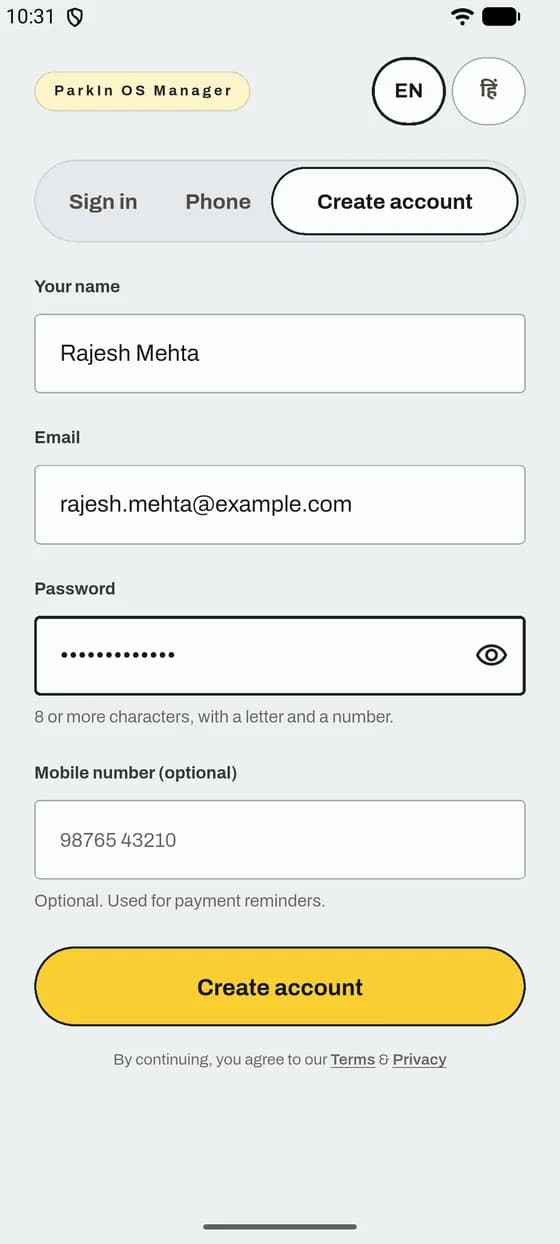
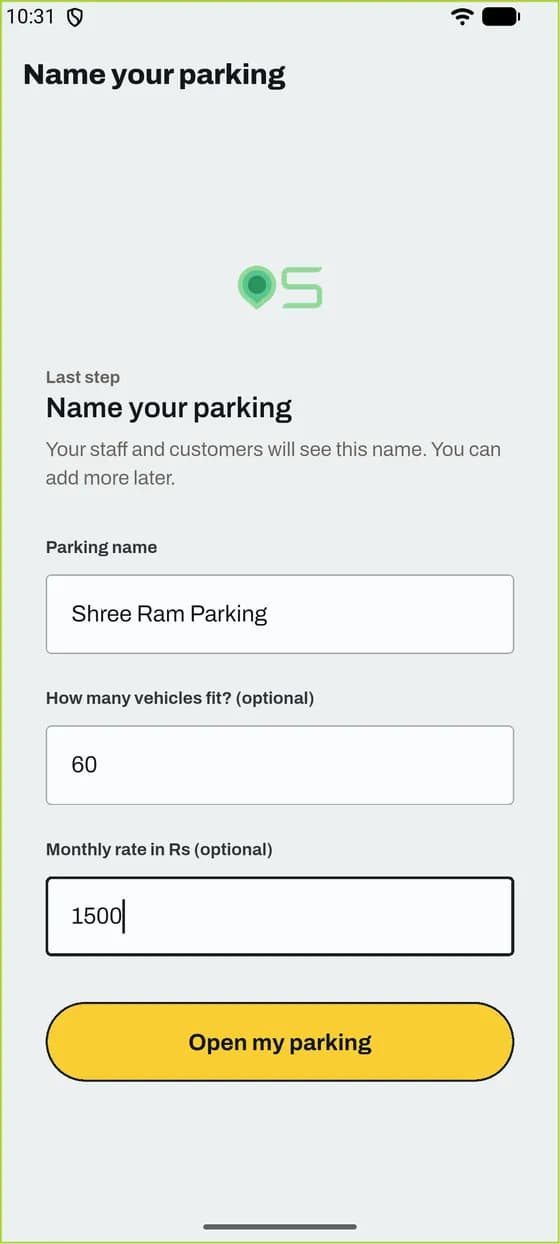
Sign up and add your parking
You do this once. It takes about 10 minutes.
Good to know
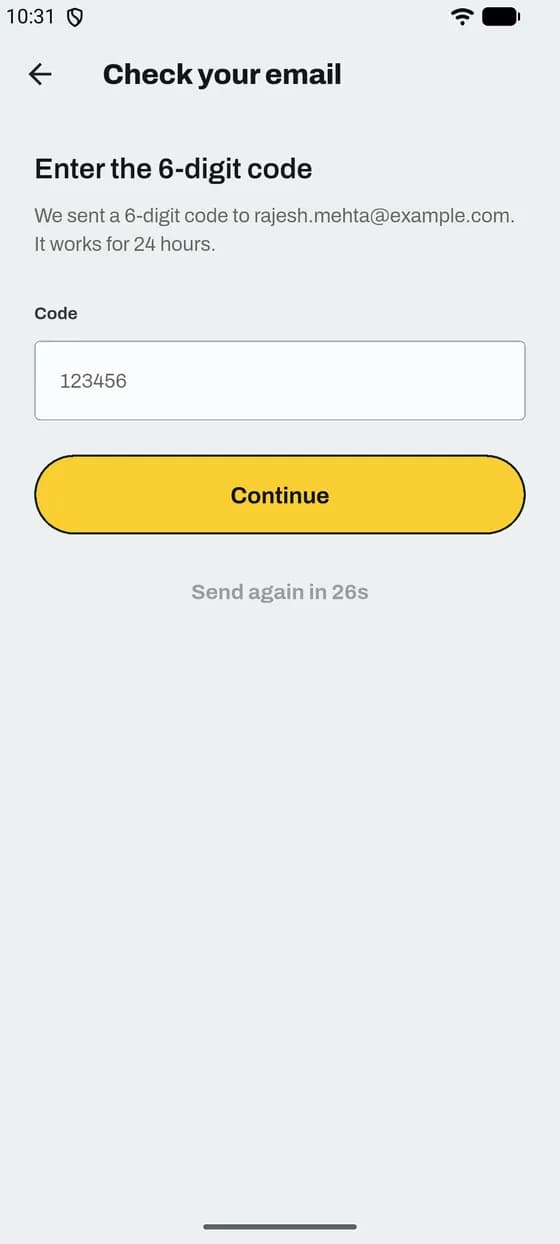
- No email? Check Spam, then tap Send the code again. The code works for 24 hours.
- If you see Continue with Google, you can use it instead of a password.
How it works
Short steps with real screens from the app. Pick a job from the list.
In the app
You do this once. It takes about 10 minutes.
Good to know
In the app
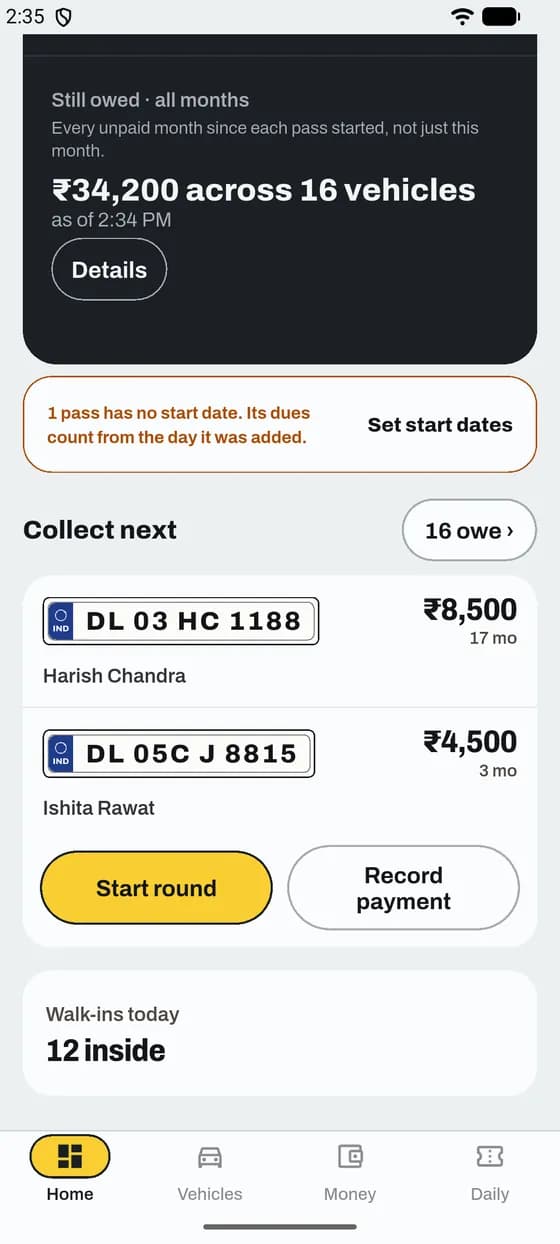
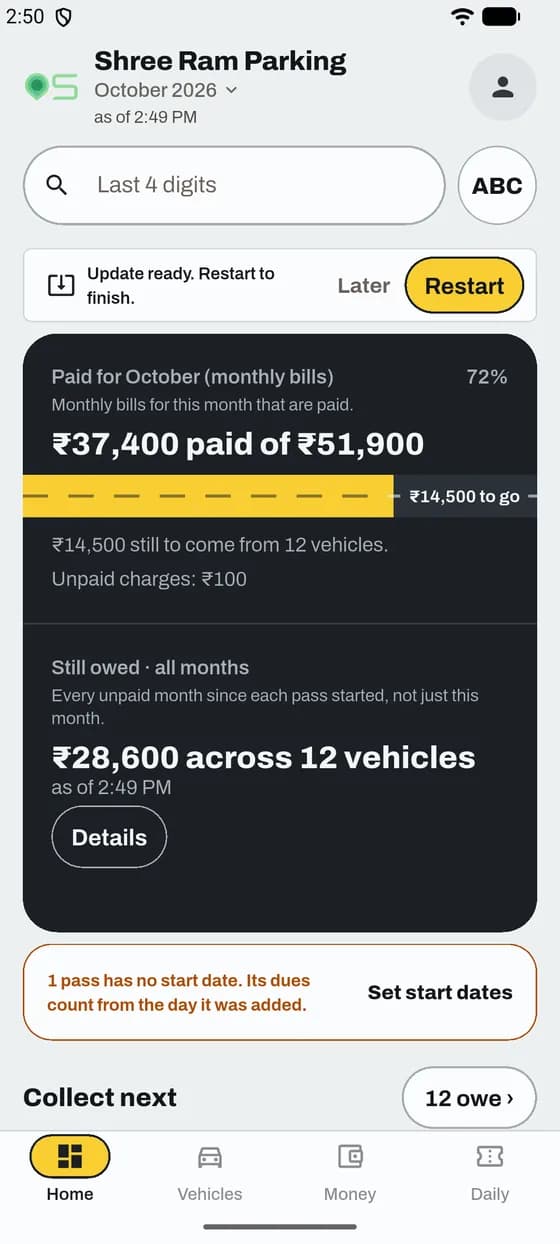
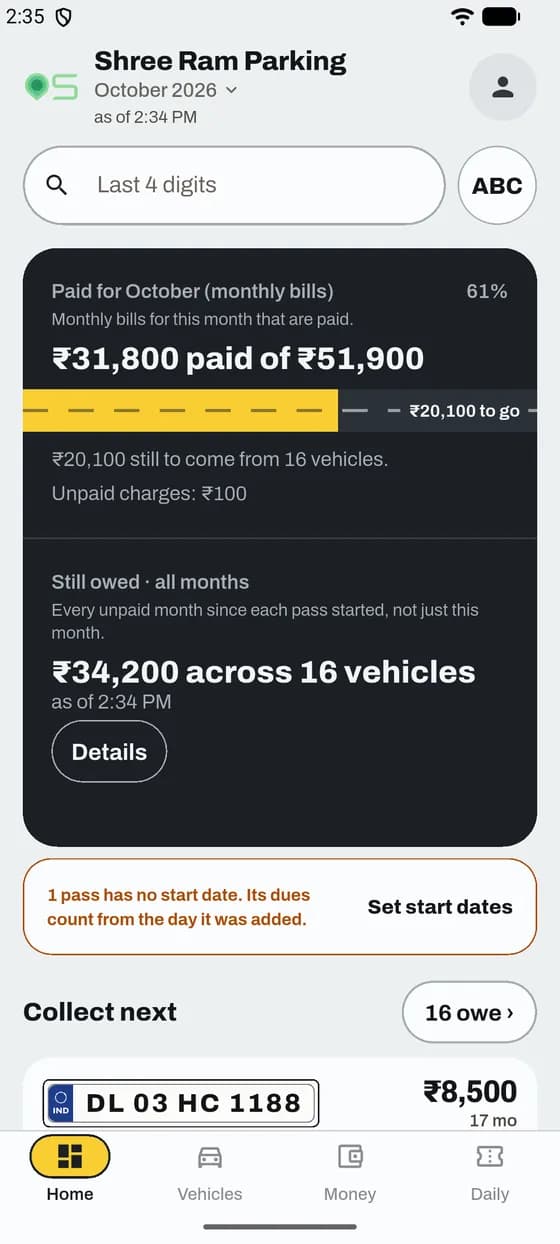
One look shows how the month is going and who to collect from next.
Good to know
App and website
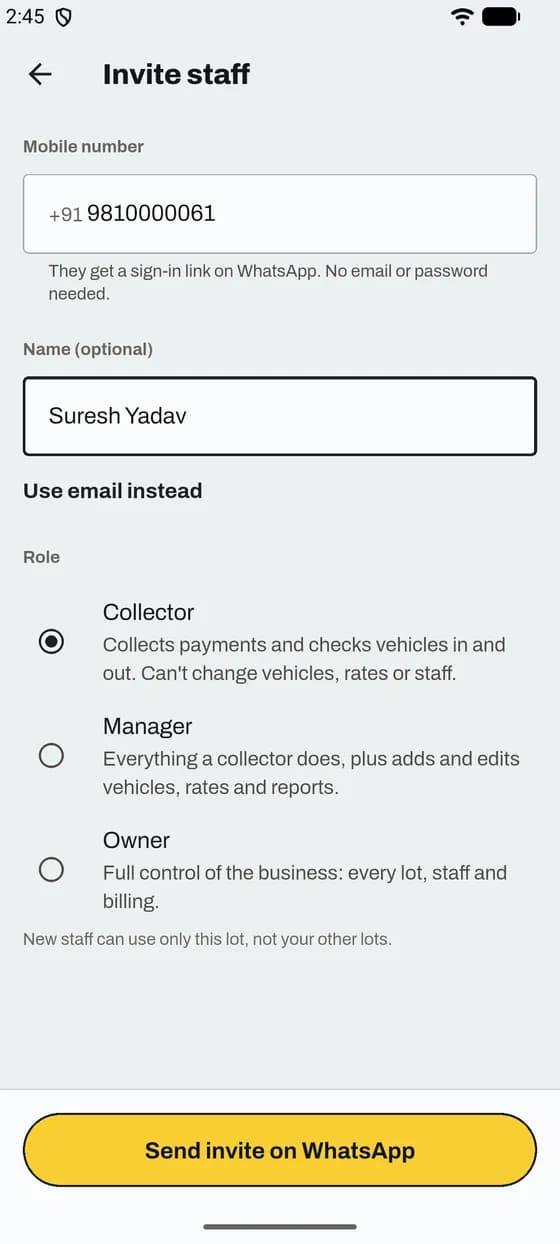
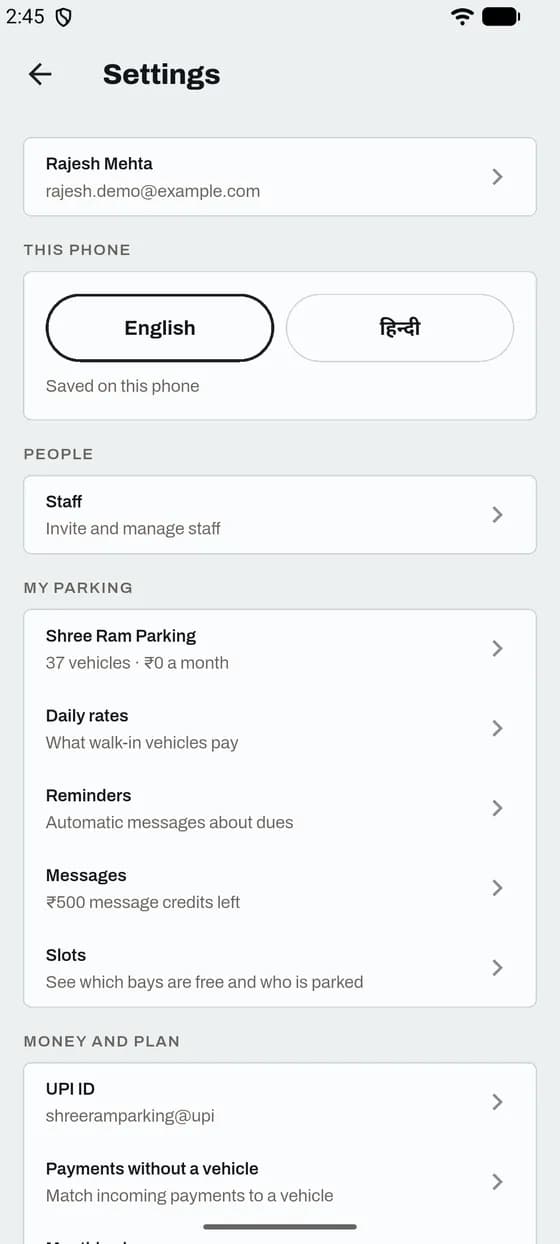
Staff join with a link you send. They do not sign up on their own.
Good to know
App and website
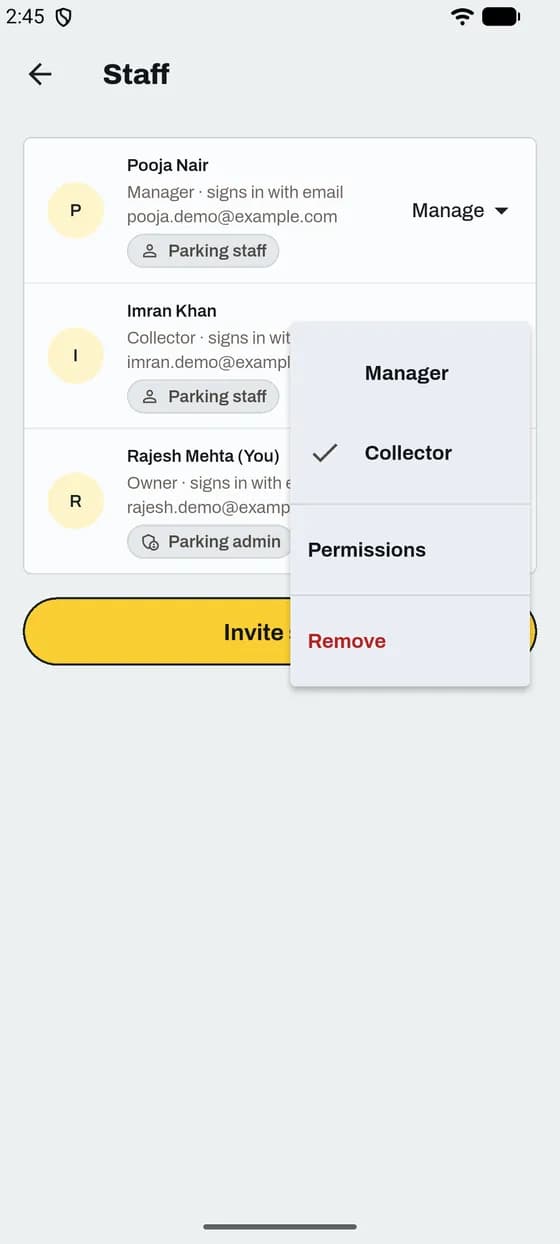
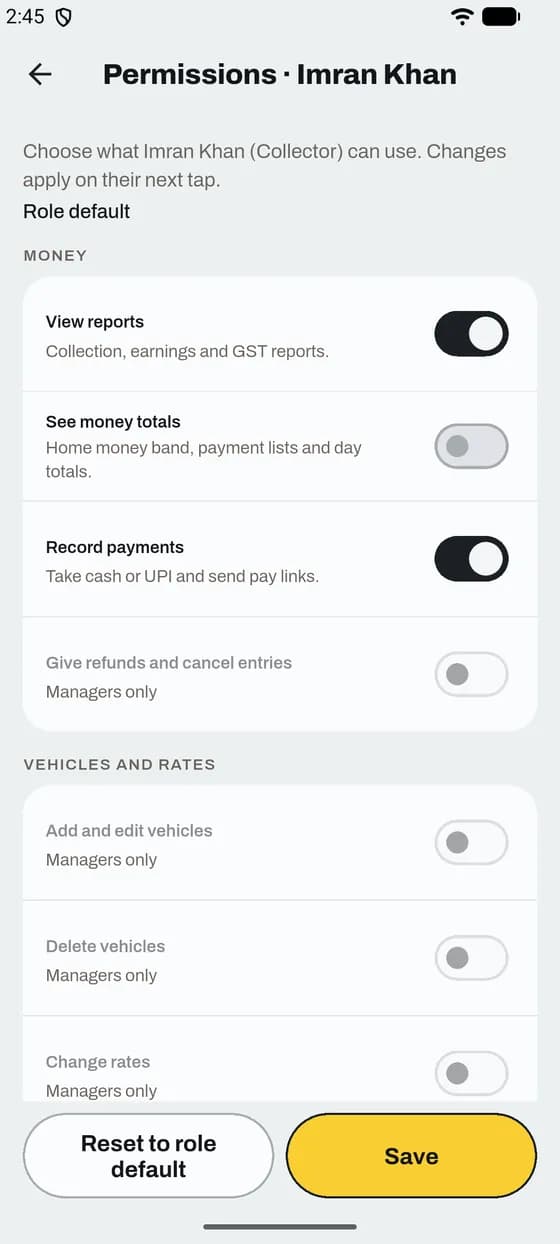
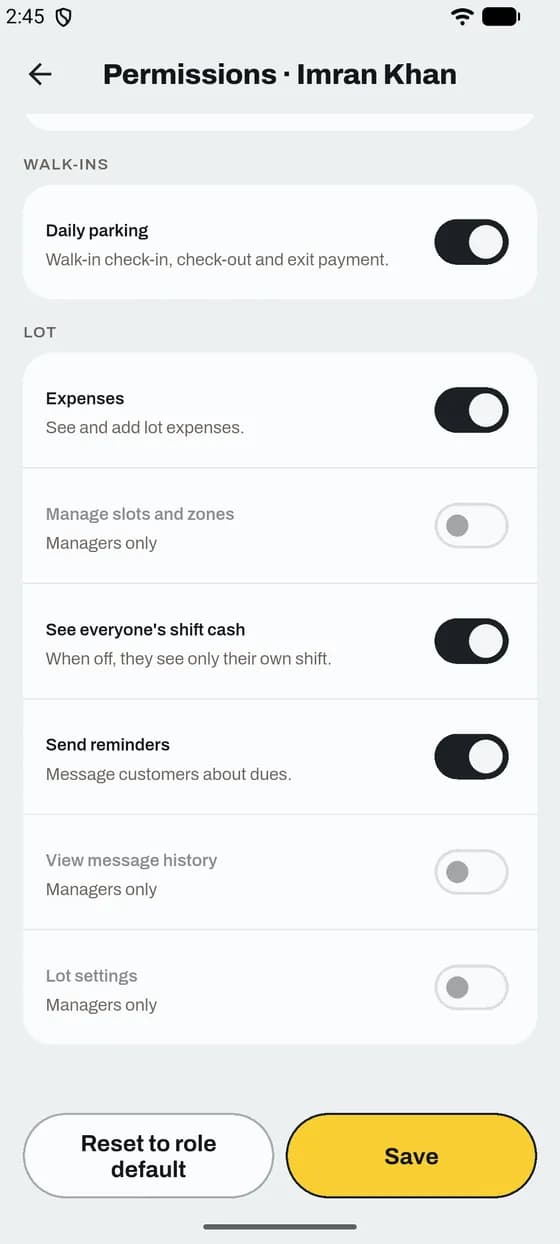
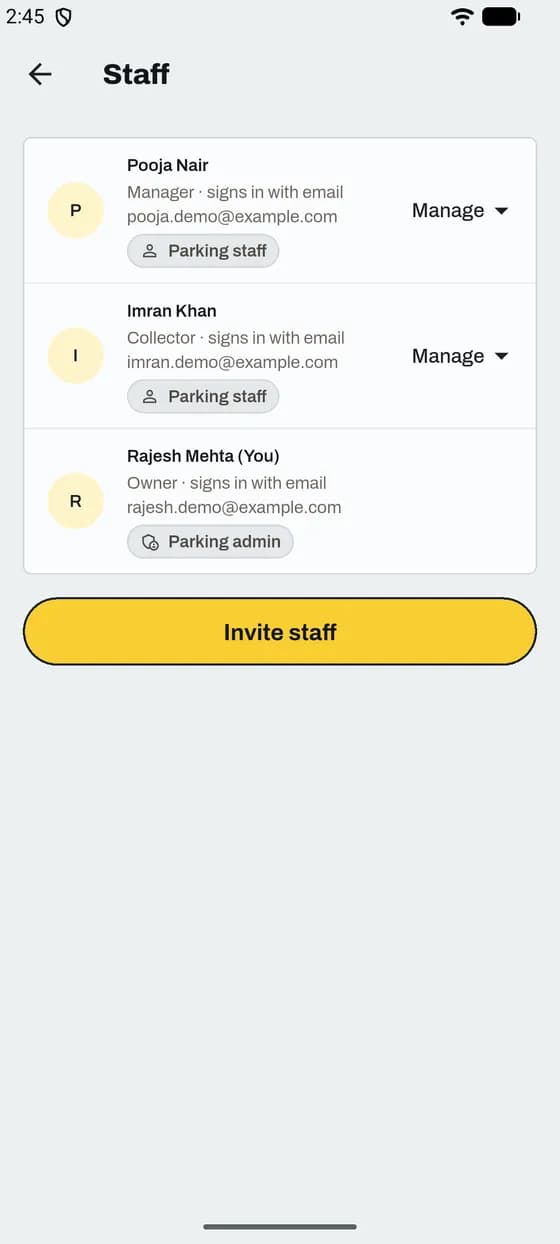
Switch features off for one person. Their role is the most they can get.
Good to know
App and website
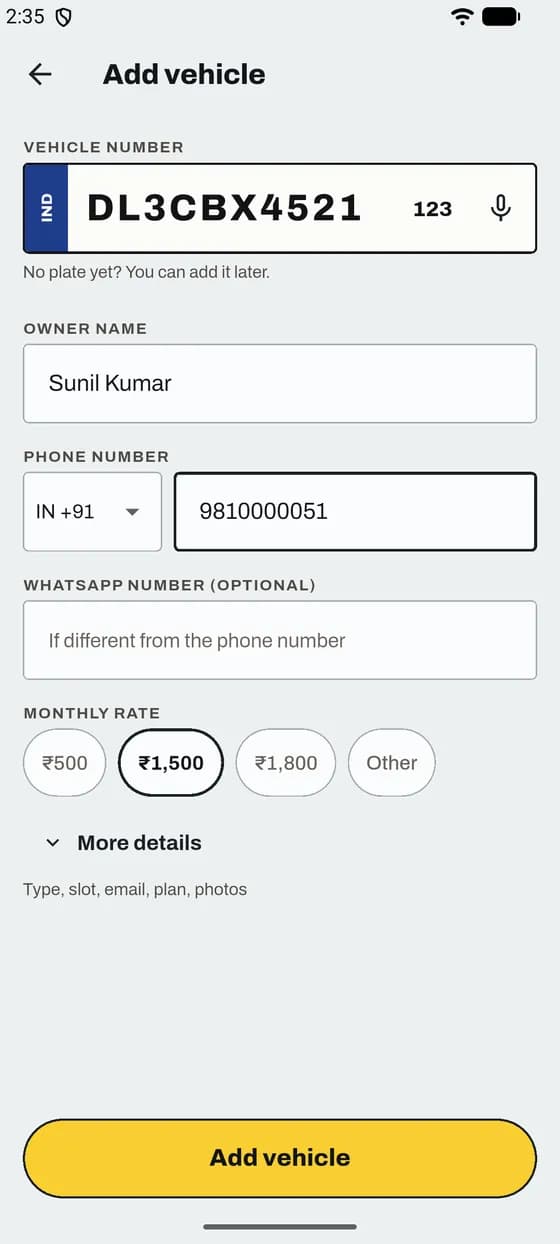
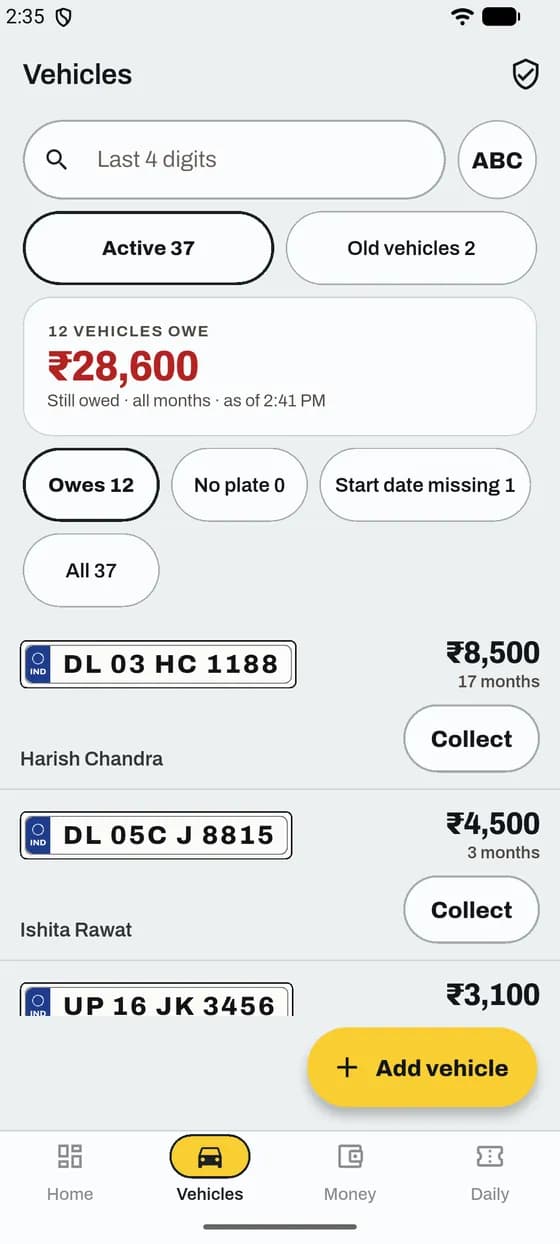
A pass is one monthly customer: plate, name, phone and monthly rate.
Good to know
App and website
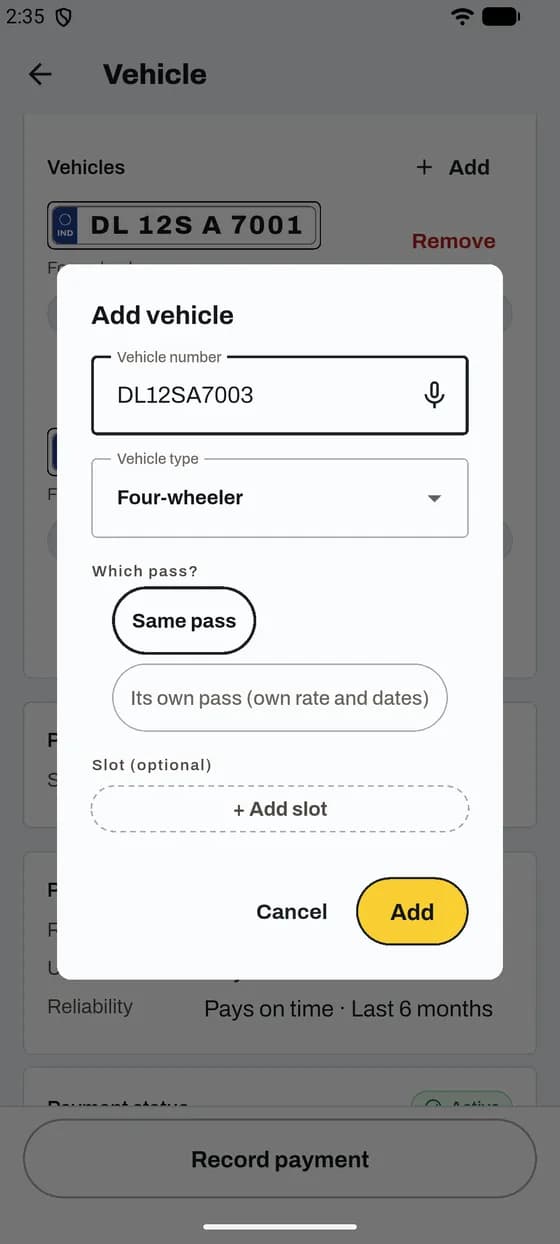
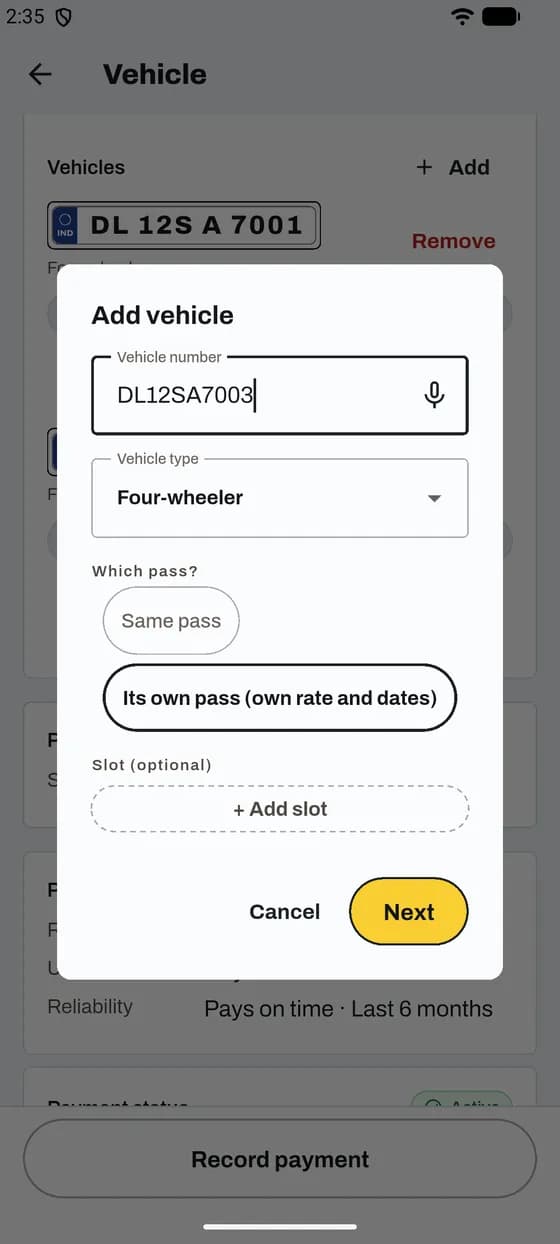
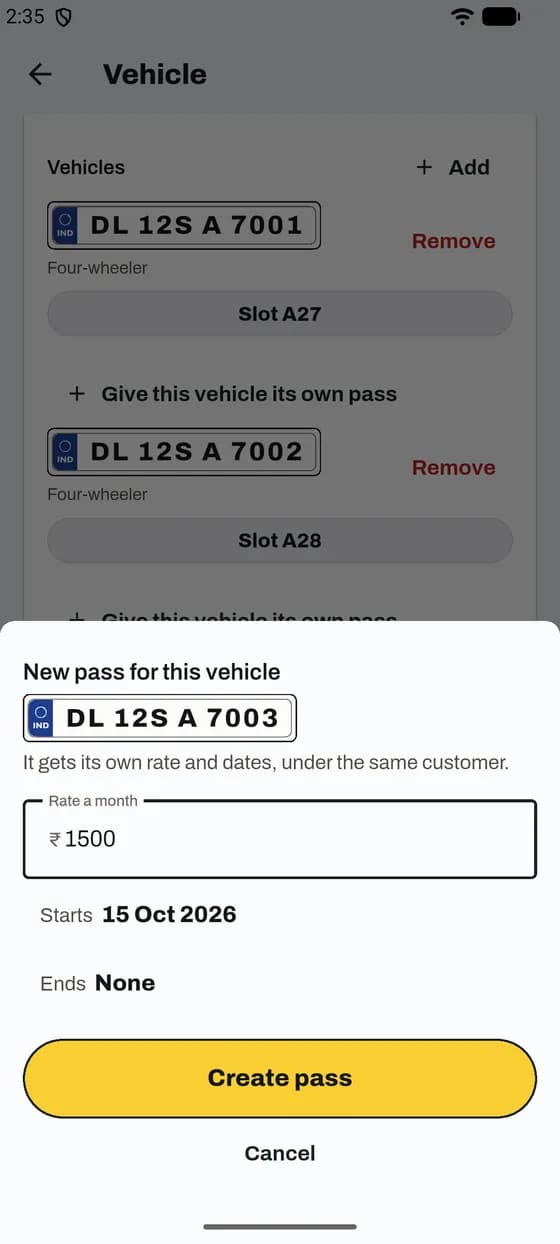
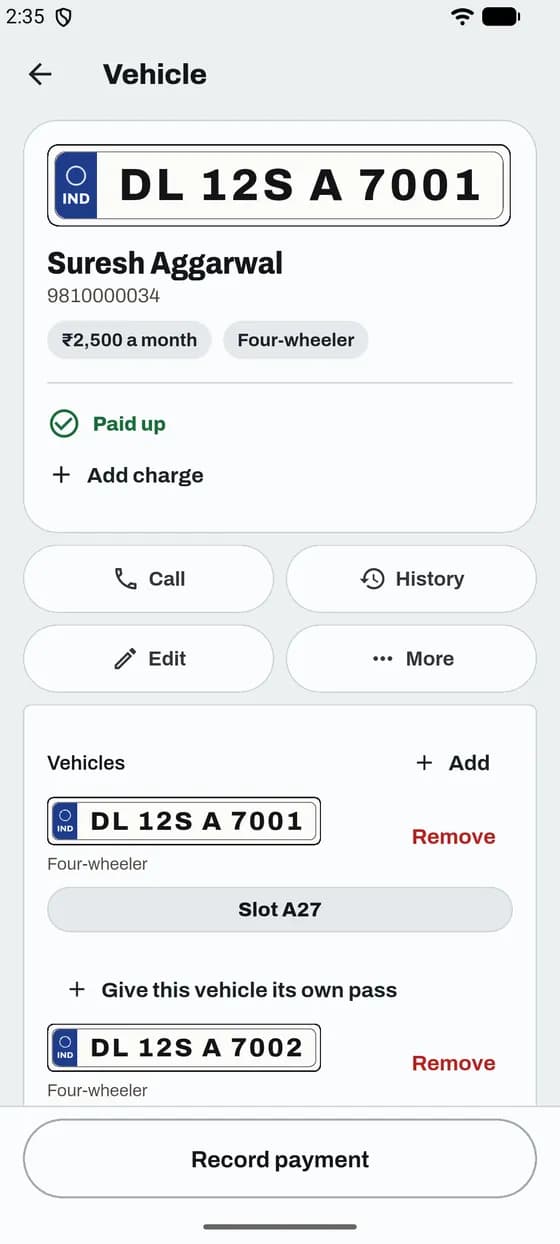
Put it on the same pass, or give it its own pass with its own rate.
Good to know
App and website
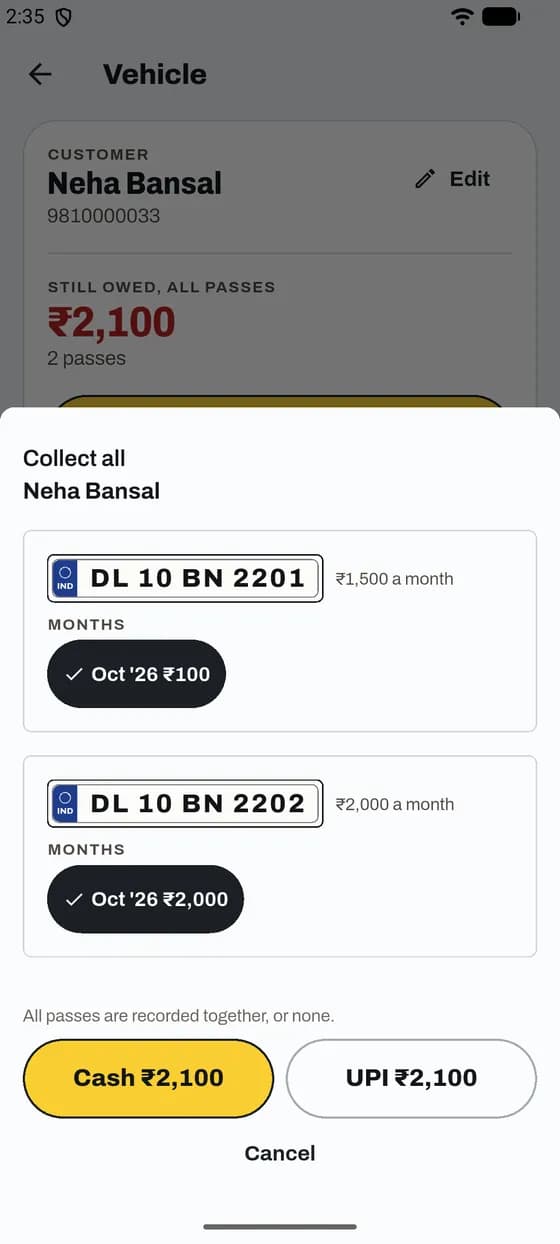
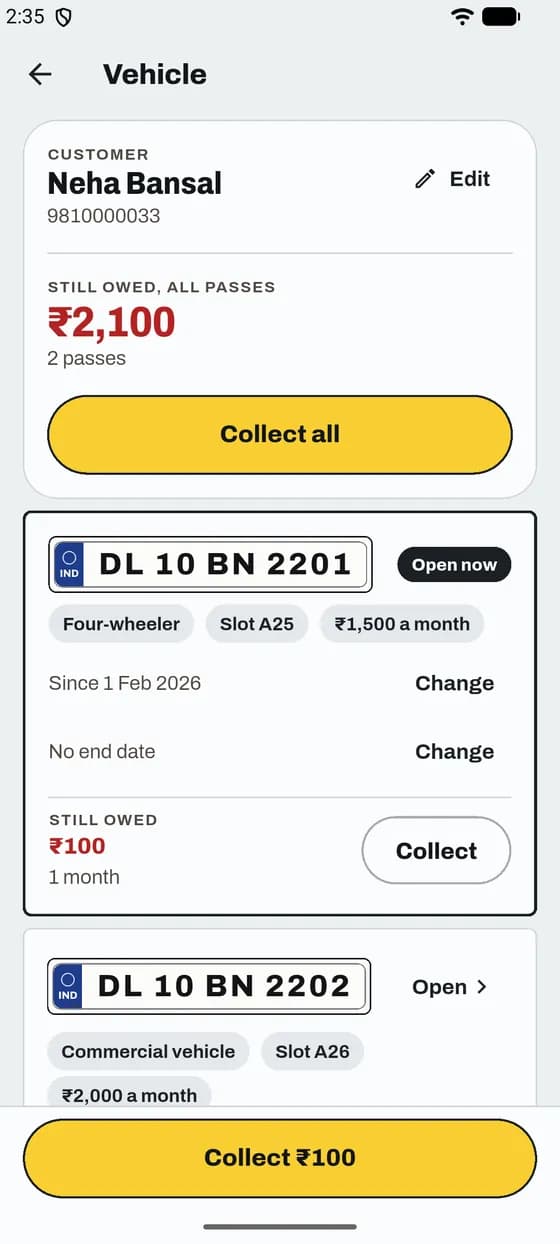
One customer, many passes. See the total and collect in one go.
Good to know
App and website
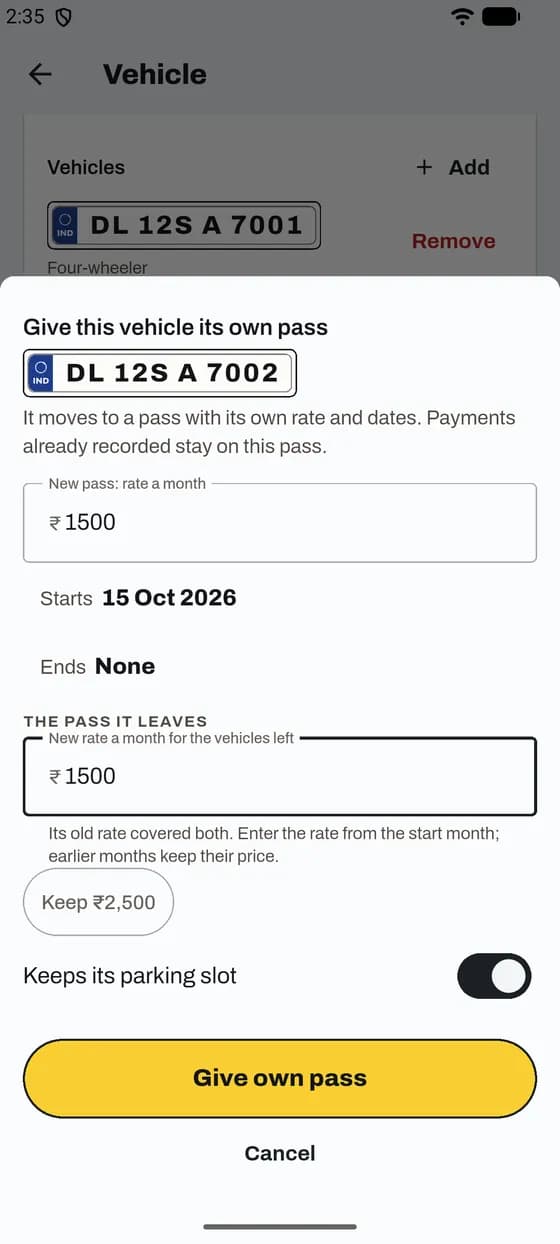
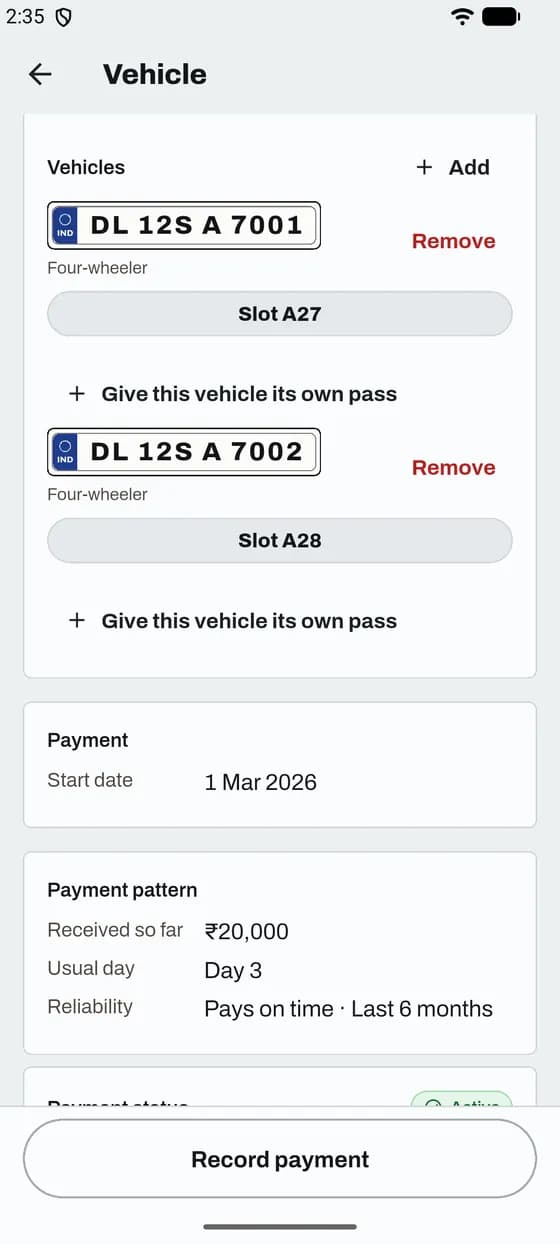
Two cars on one pass? Move one to its own pass with its own rate.
Good to know
App and website
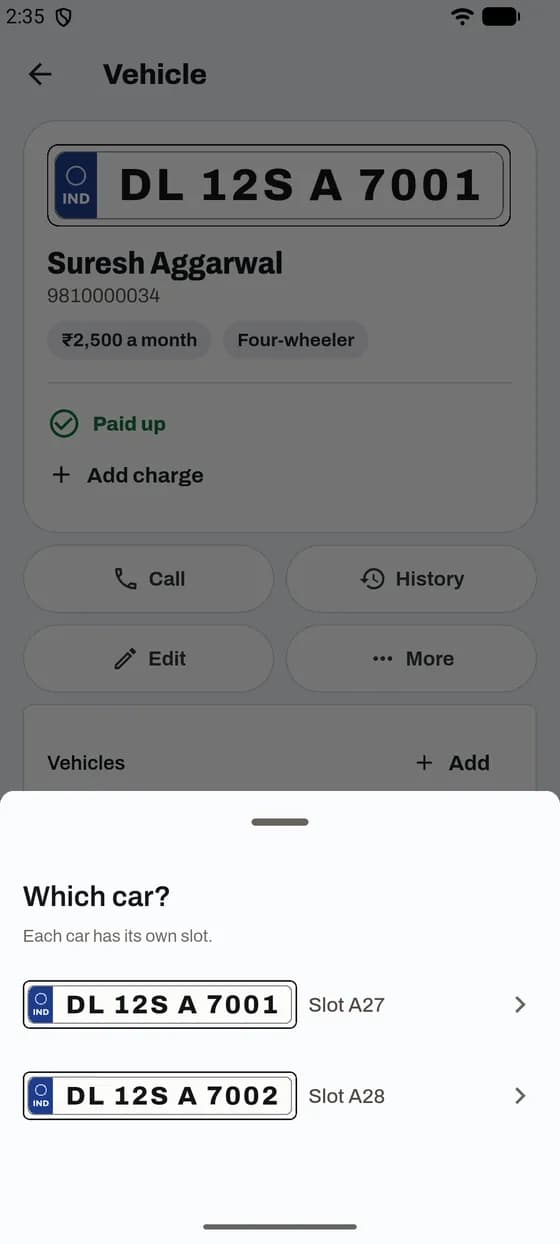
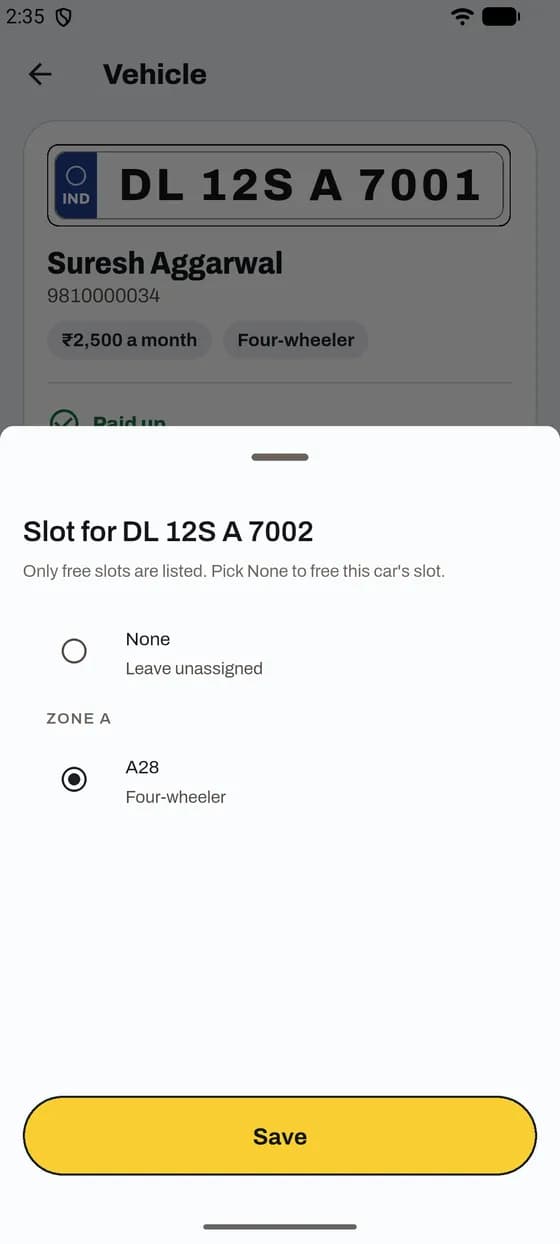
A customer with more than one car can keep a different slot for each car.
Good to know
In the app
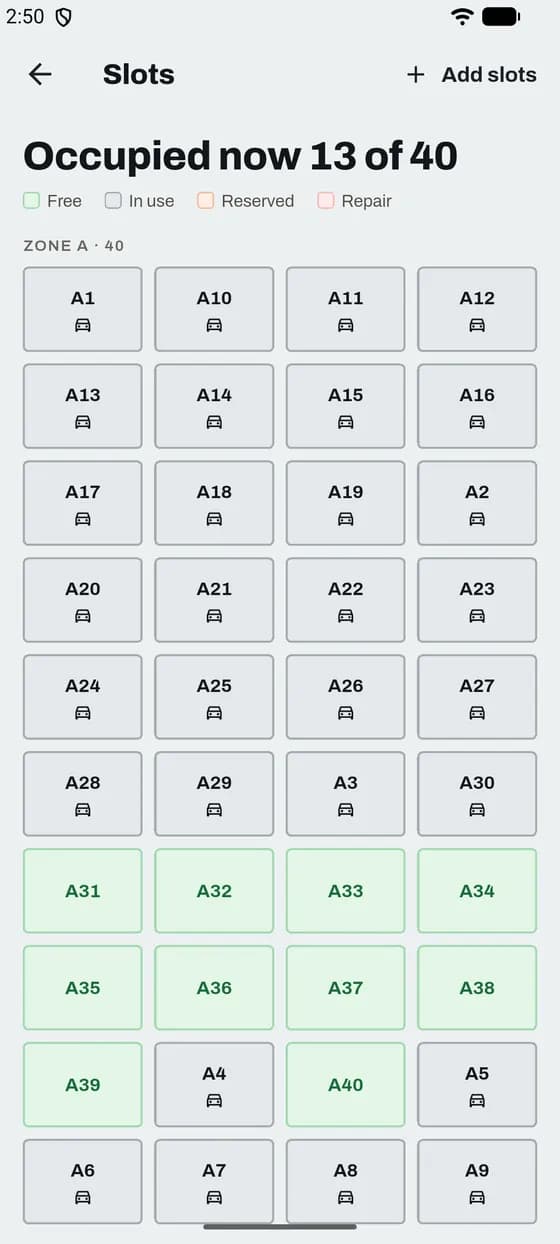
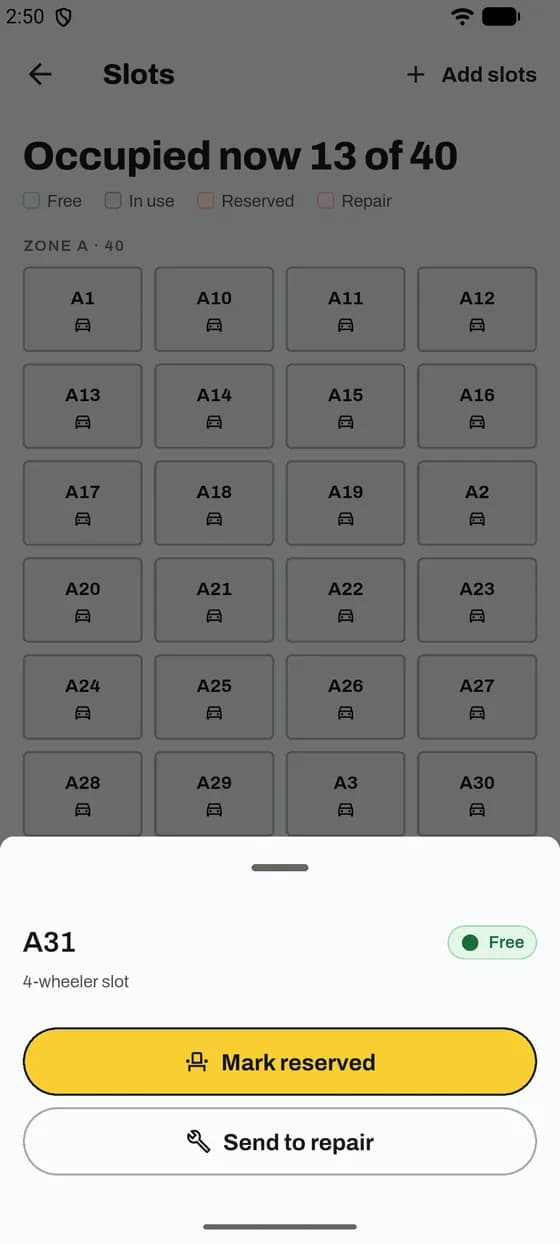
See which slots are free, add new ones and mark repairs.
Good to know
App and website
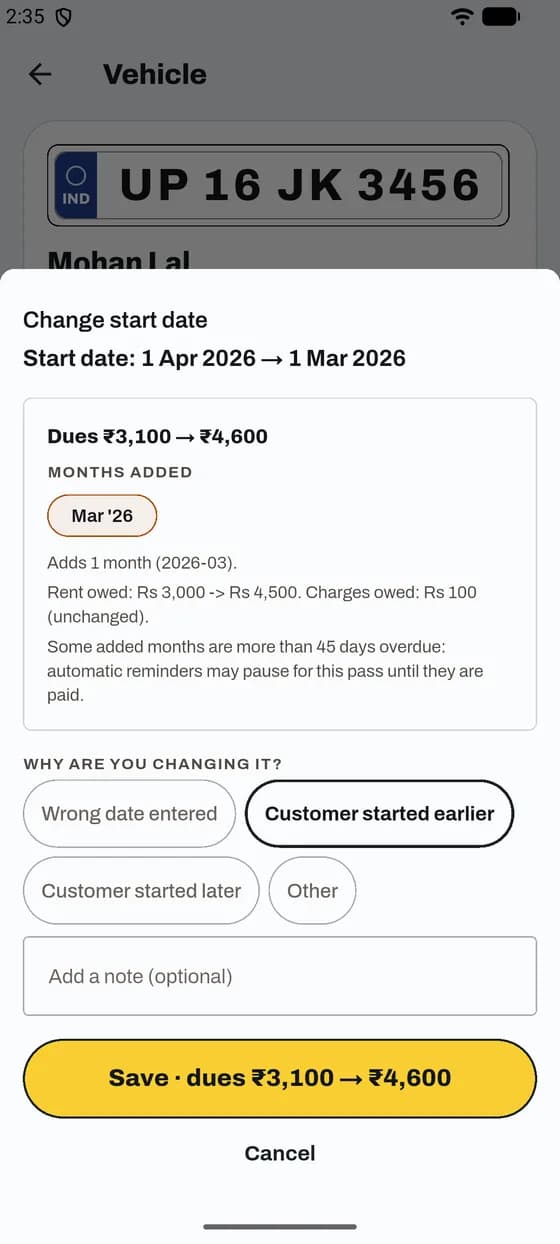
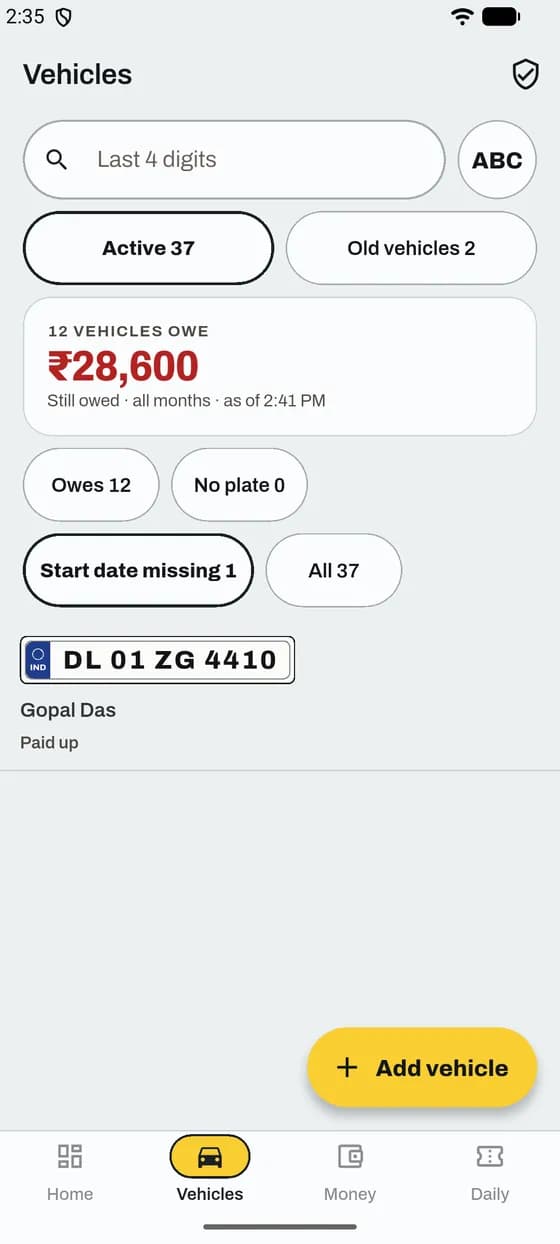
Dues count from the start date. ParkIn OS shows the new dues before you save.
Good to know
App and website
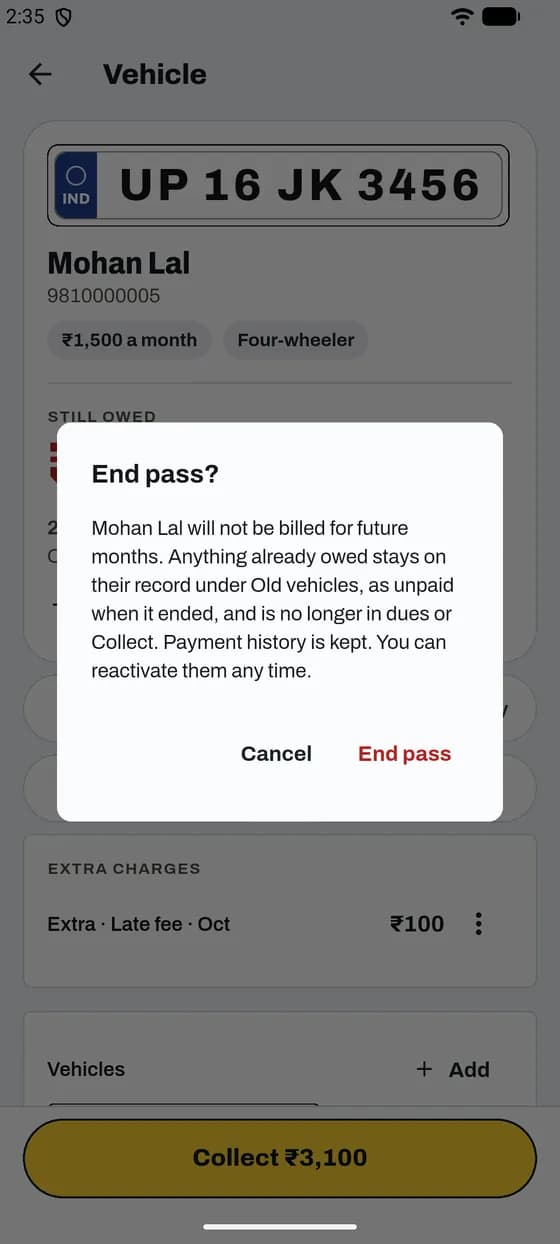
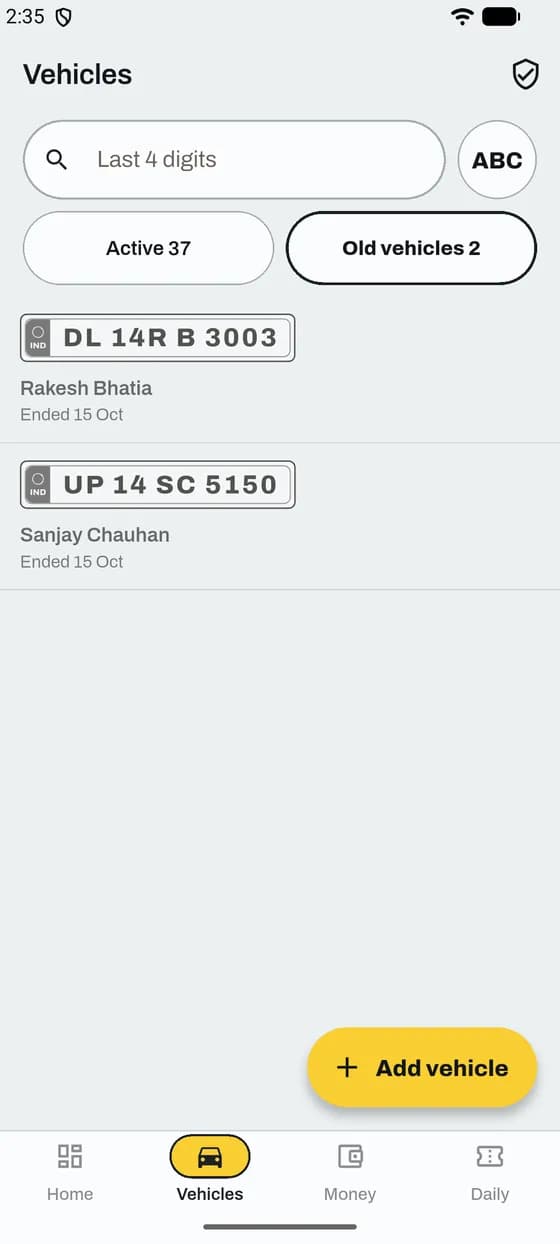
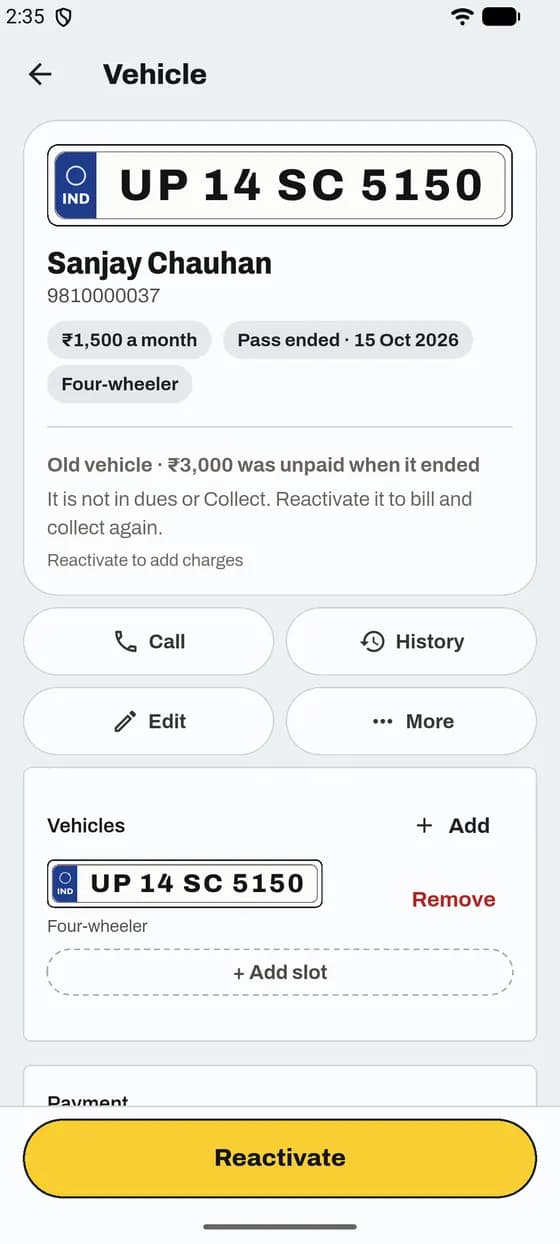
Billing stops. What they owed before stays on their record.
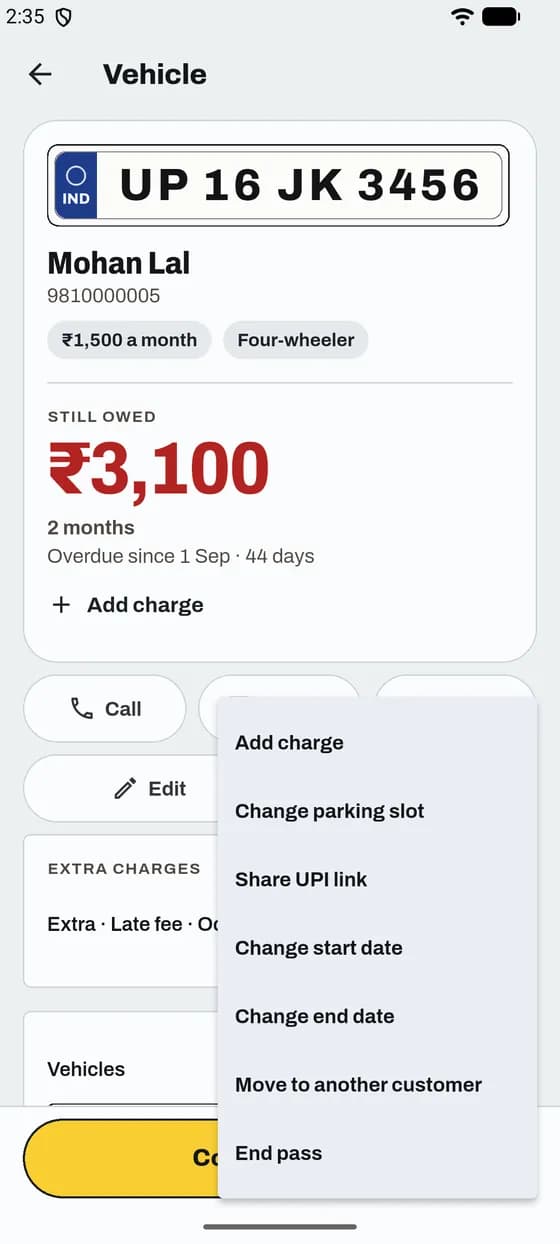
Good to know
App and website
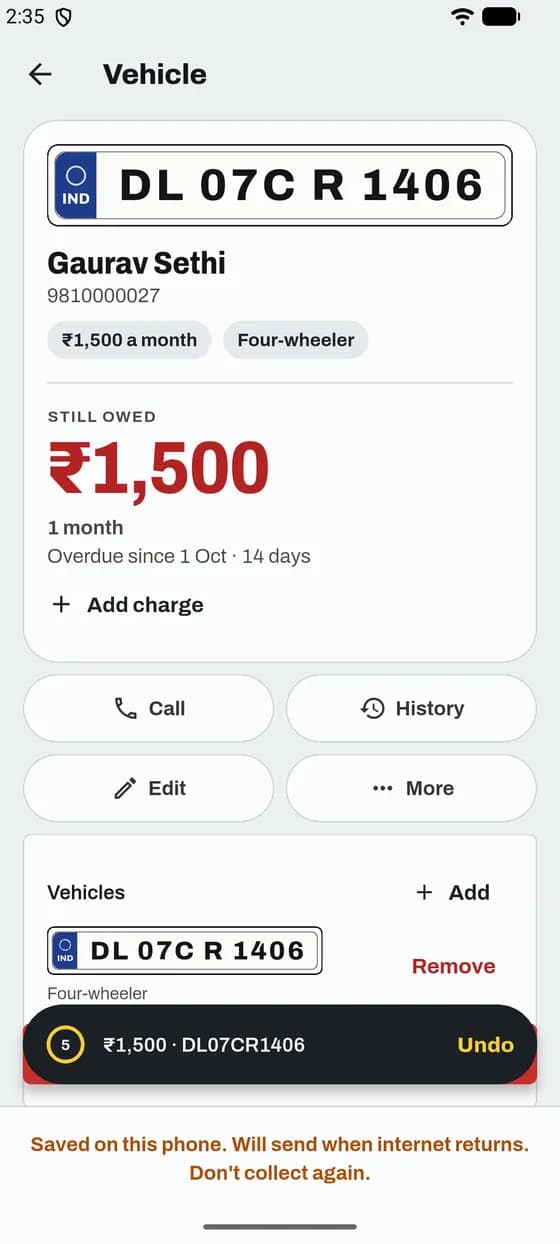
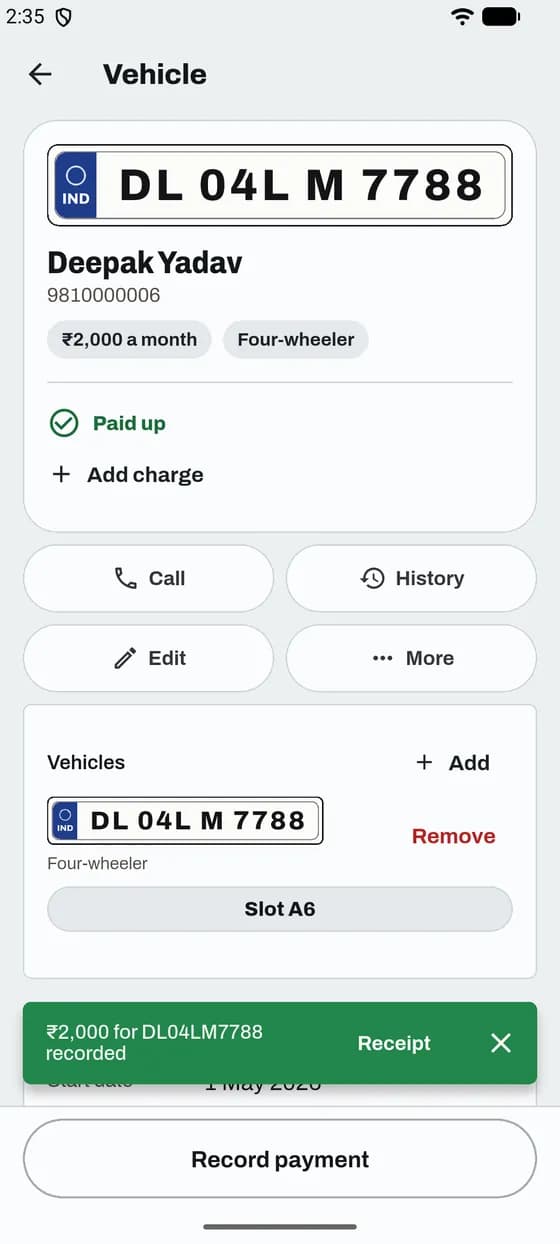
One tap for cash. Tapped by mistake? You can undo it.
Good to know
App and website
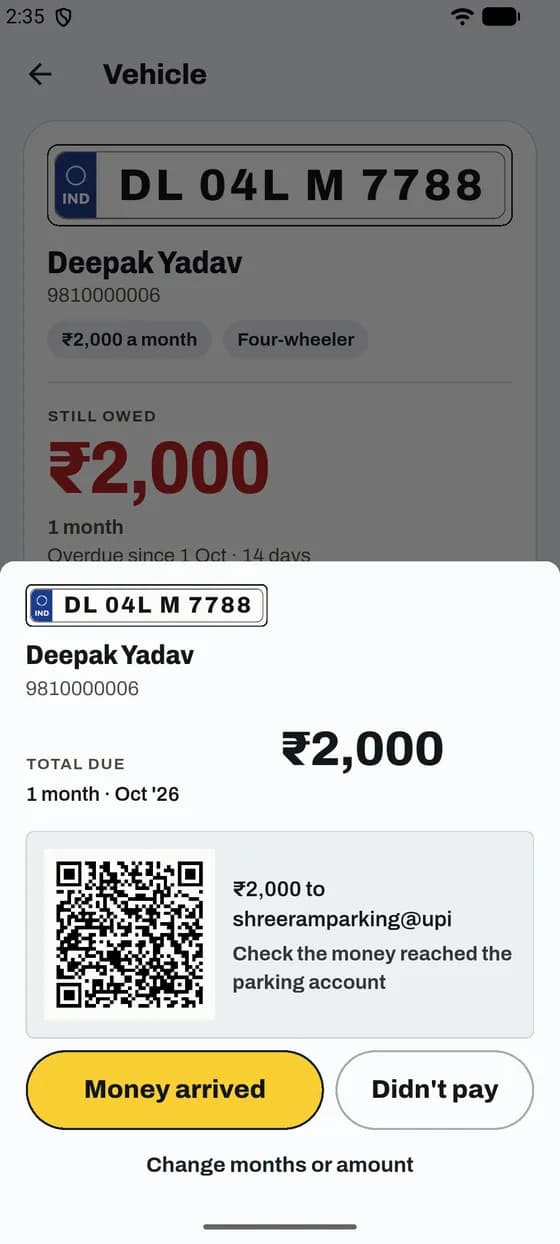
Show a QR. Confirm only when the money reaches your account.
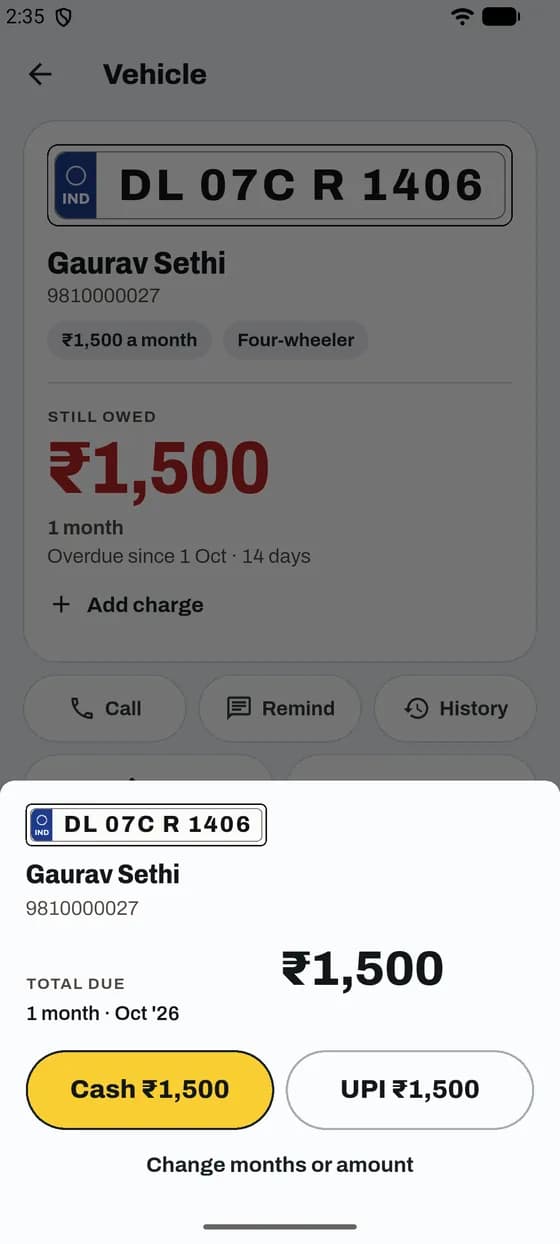
Good to know
App and website
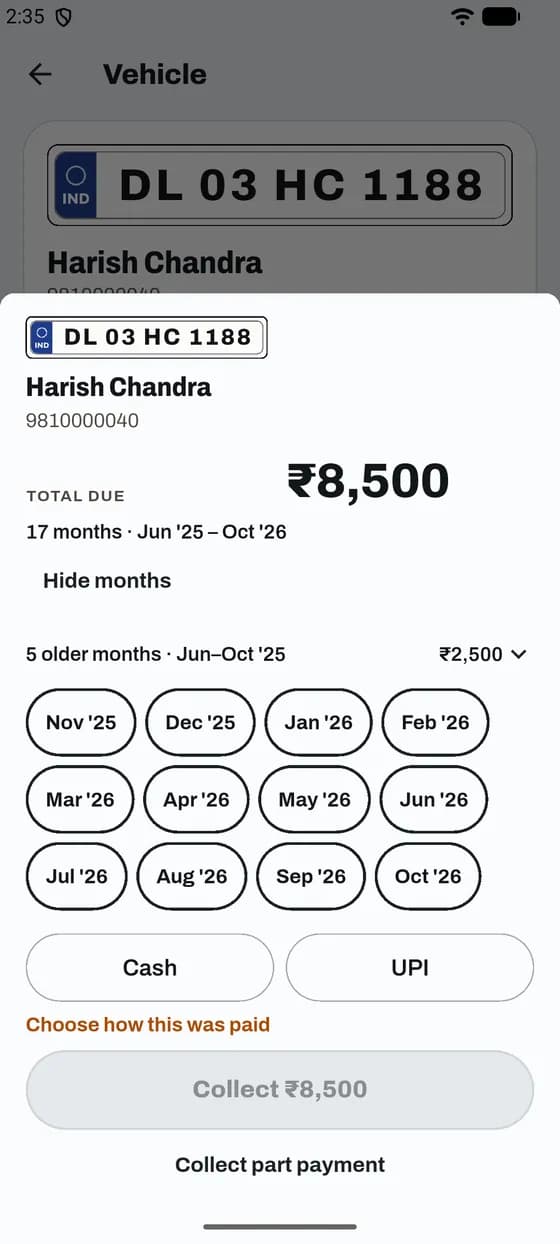
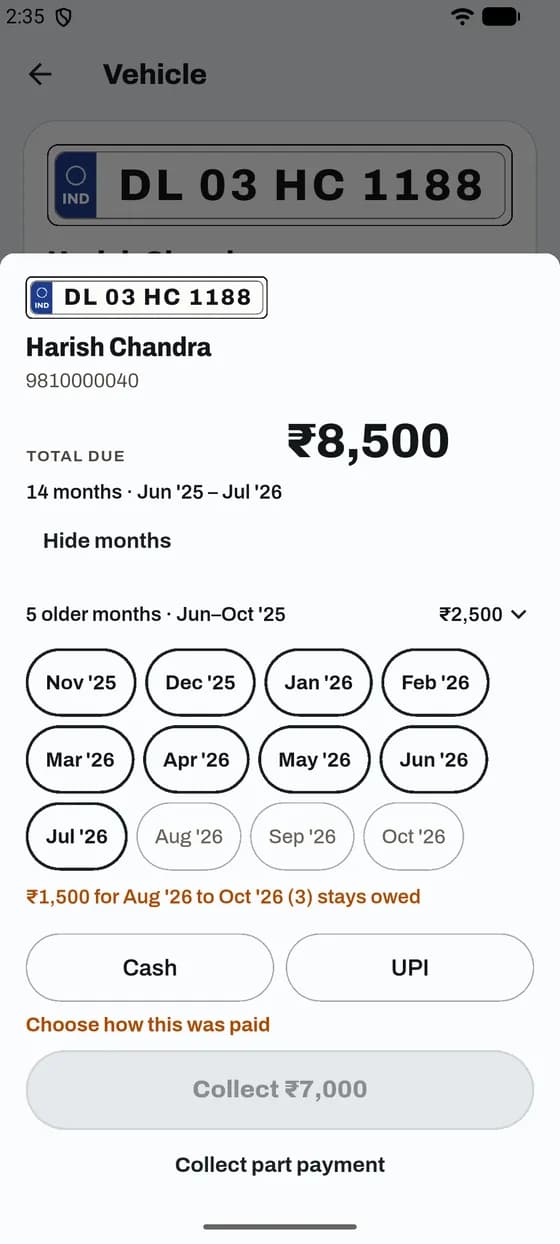
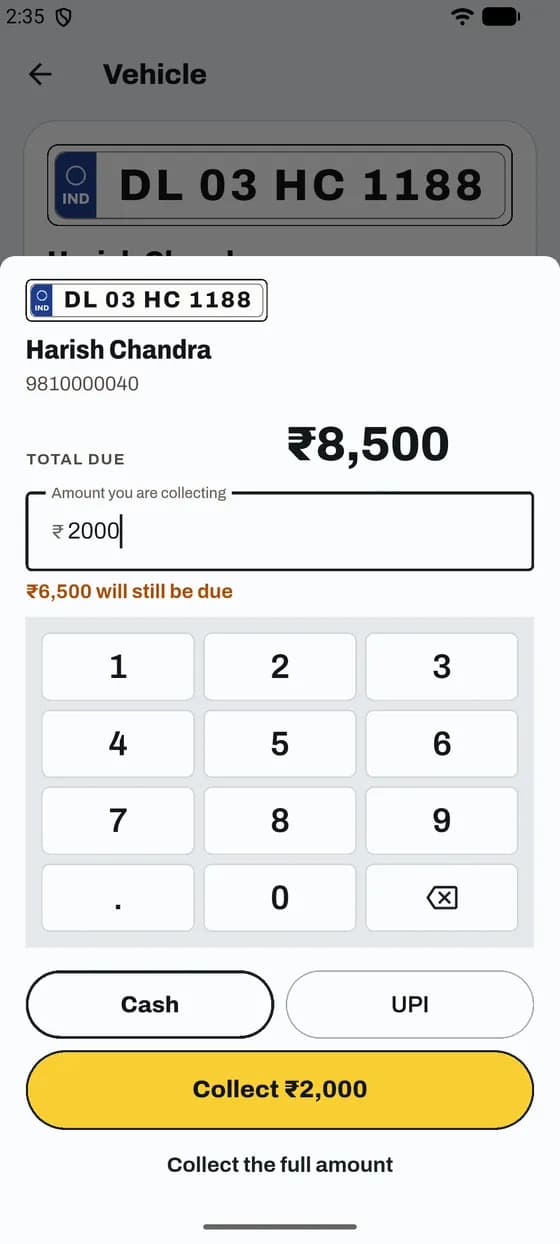
Pick the months you are collecting now. What is left stays owed.
Good to know
App and website
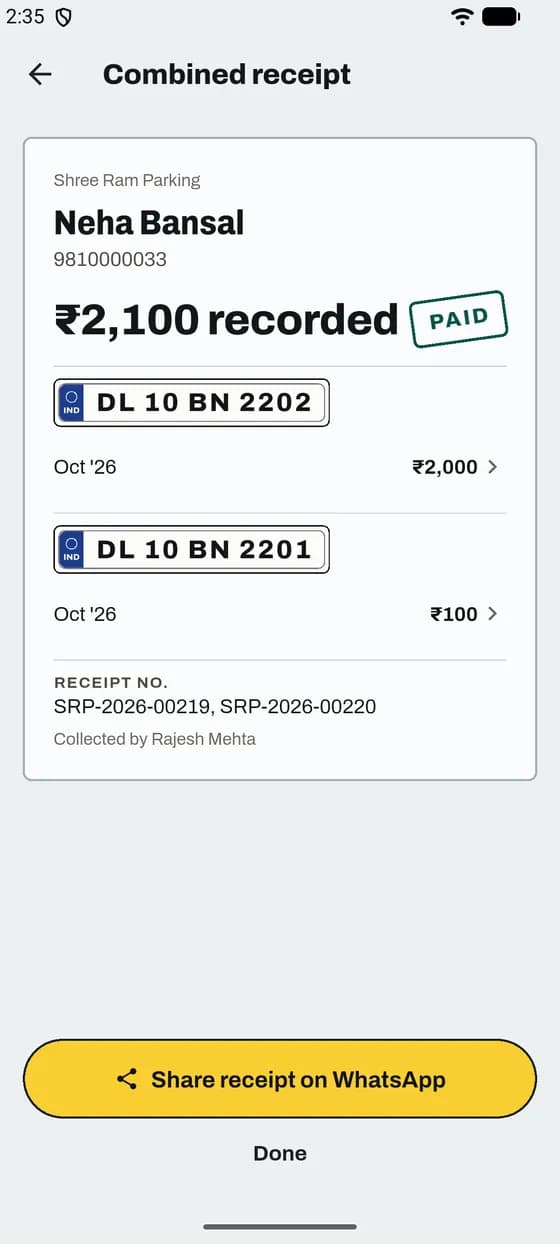
One payment for every pass of a customer, with one receipt.
Good to know
App and website
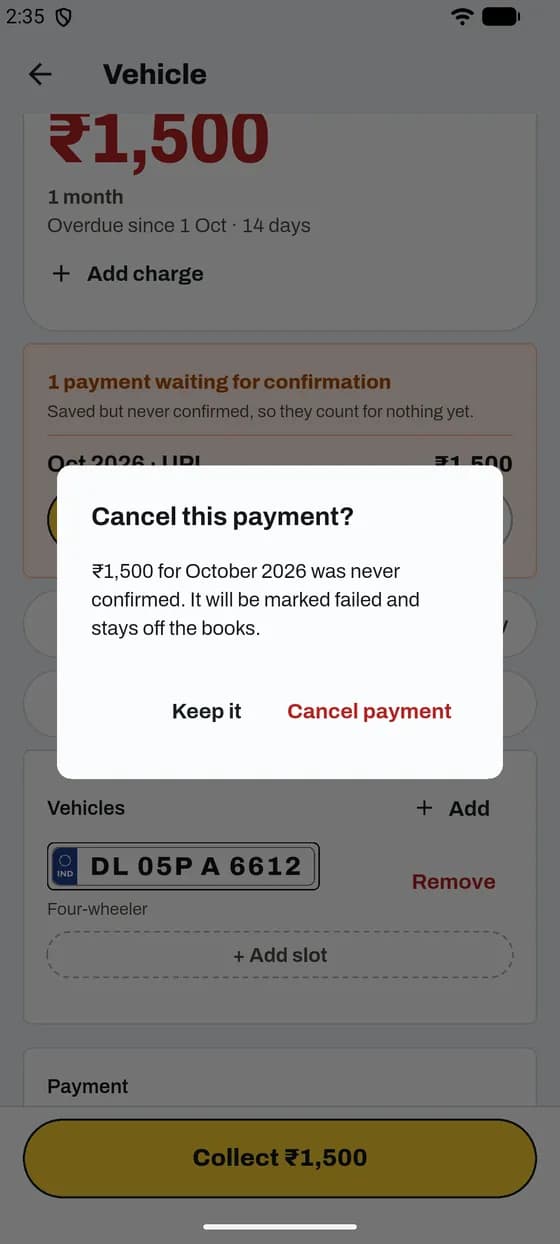
A payment saved but never confirmed counts for nothing until you check it.
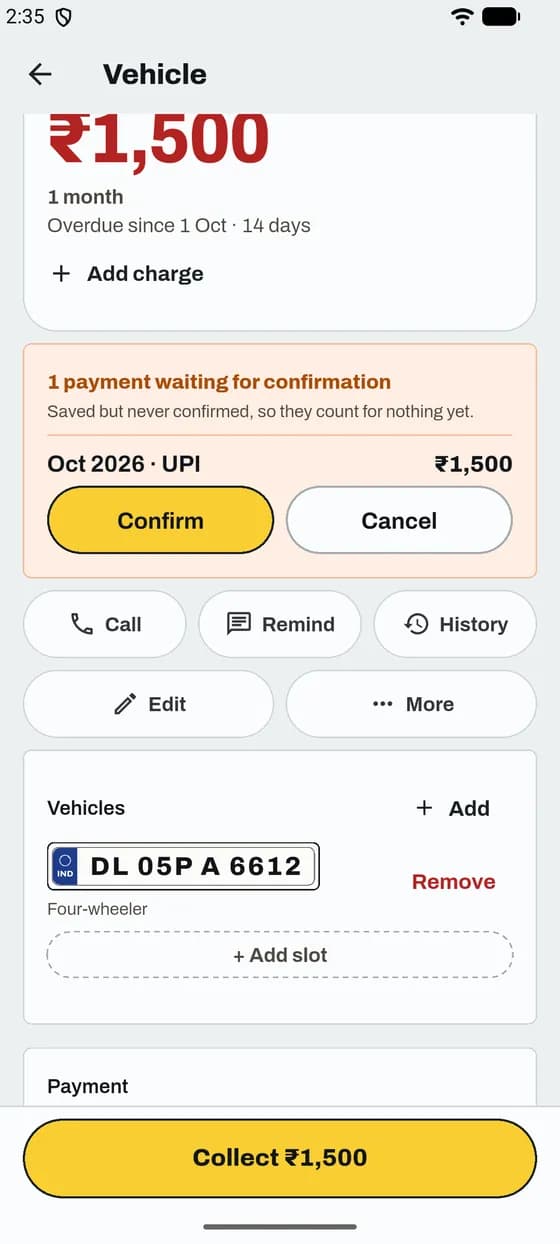
Good to know
App and website
Every payment gets a numbered receipt. Send it in one tap.
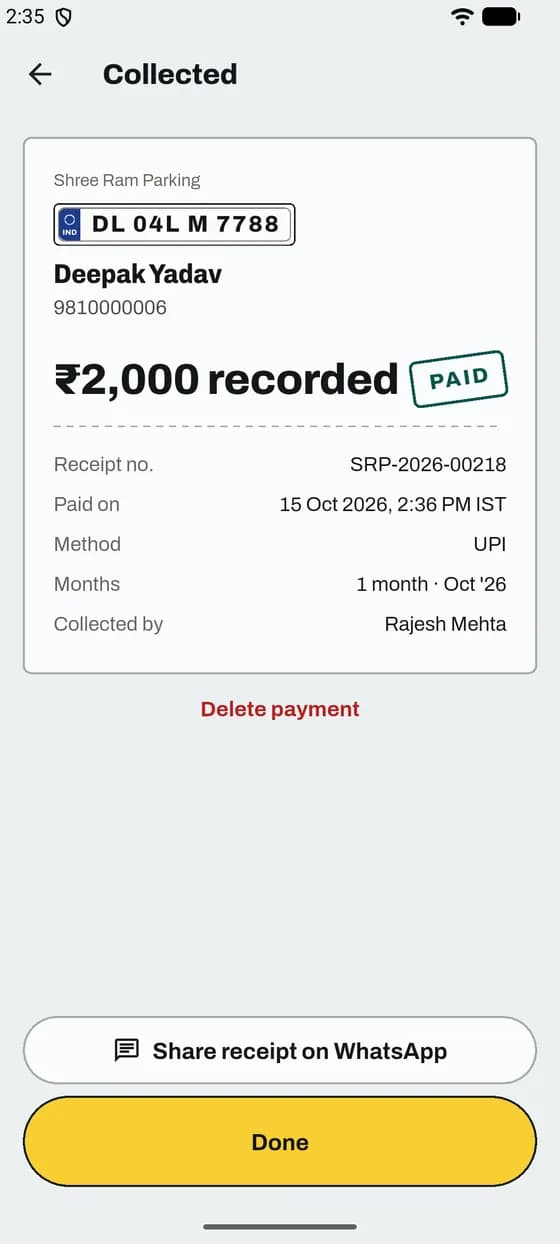
Good to know
App and website
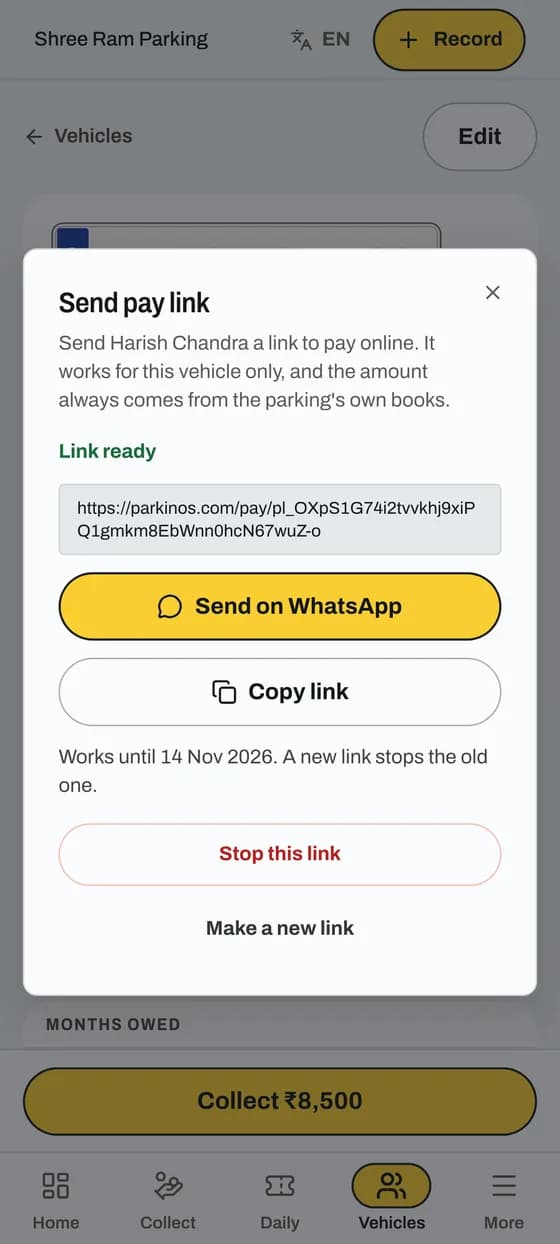
The customer pays from their own phone. You do not need to meet them.
Good to know
App and website
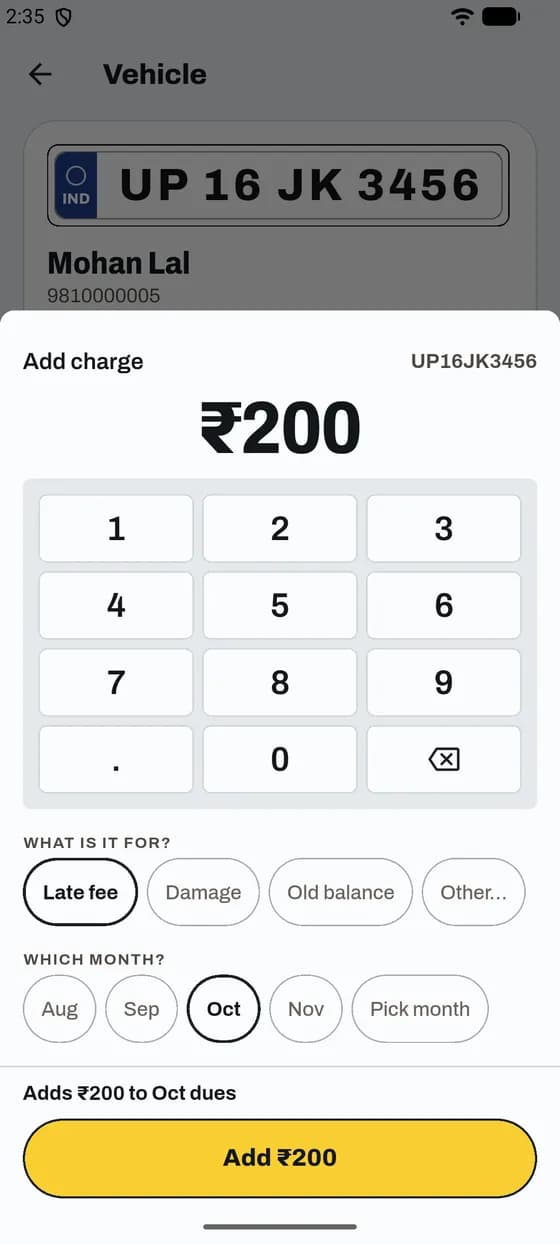
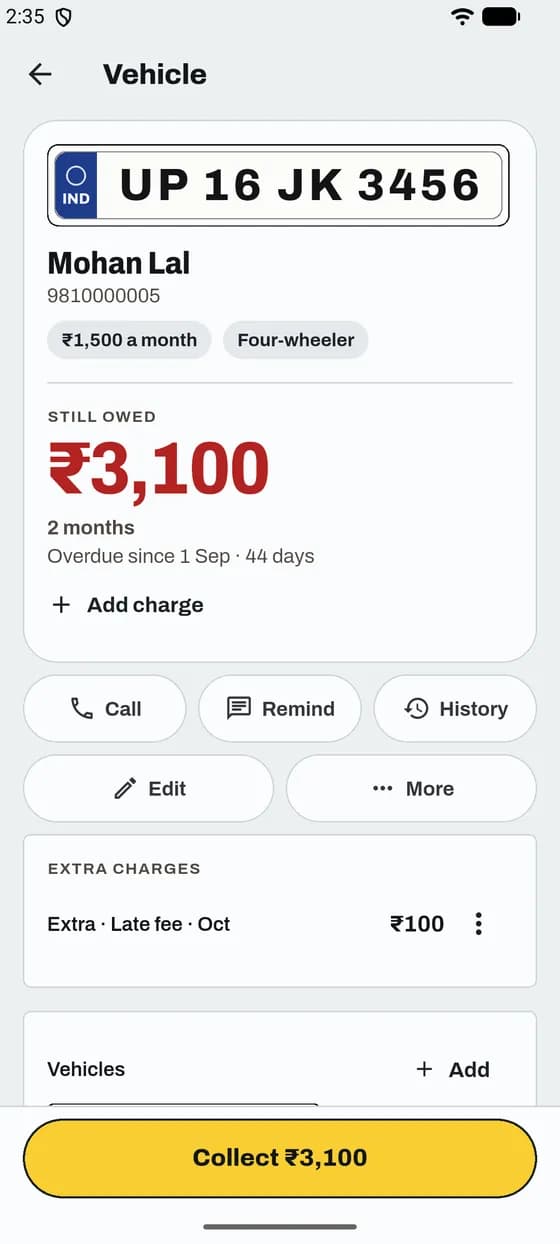
A late fee or damage. It adds to what the vehicle owes.
Good to know
App and website
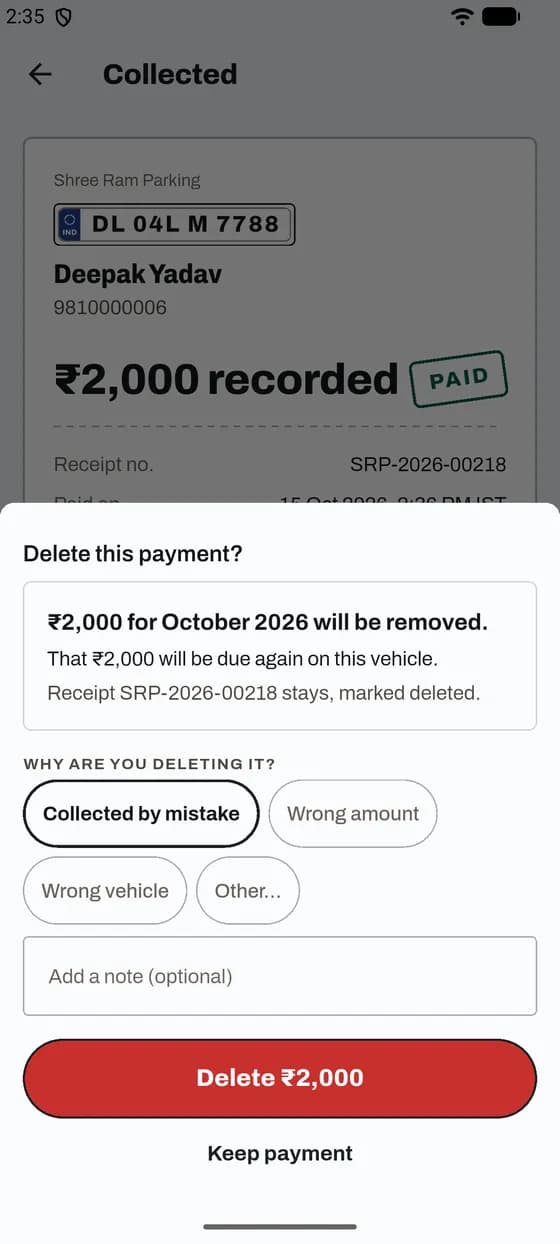
The money comes out of your totals and the vehicle owes it again.
Good to know
App and website
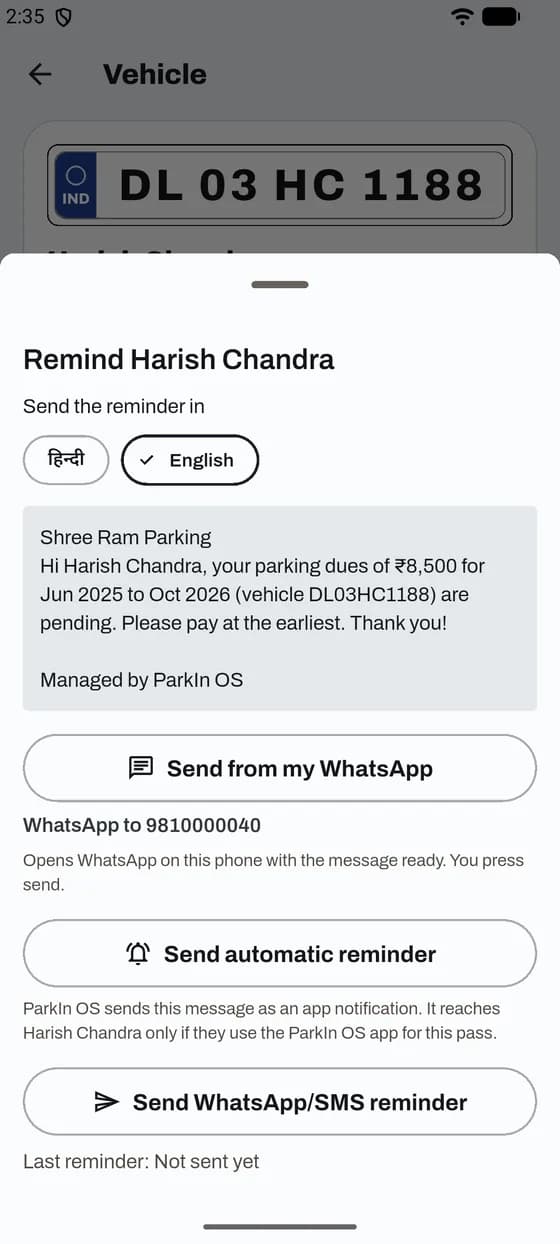
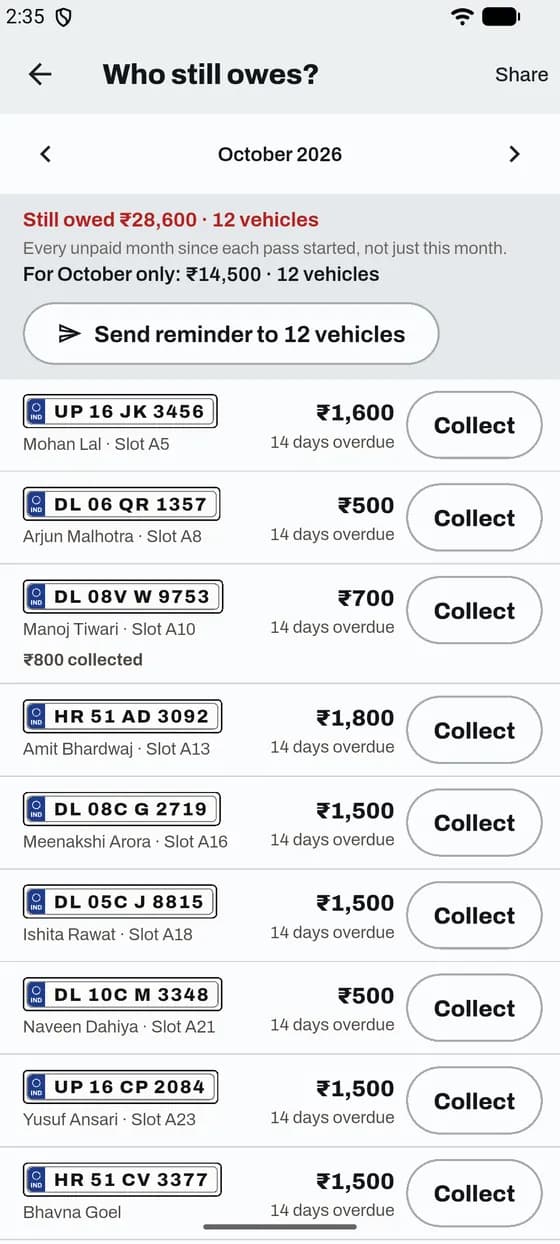
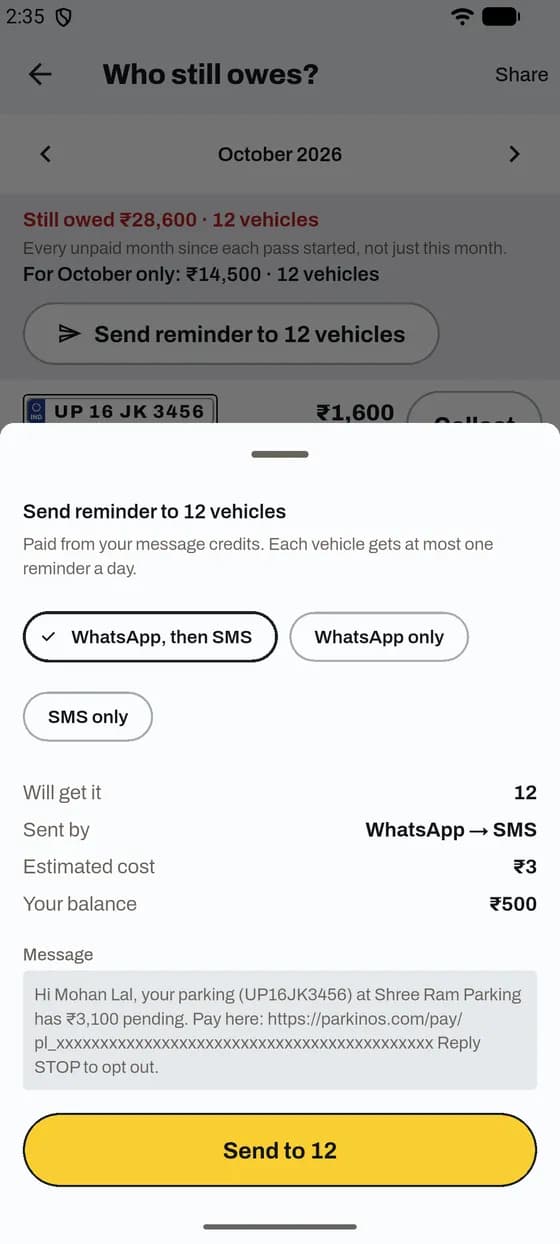
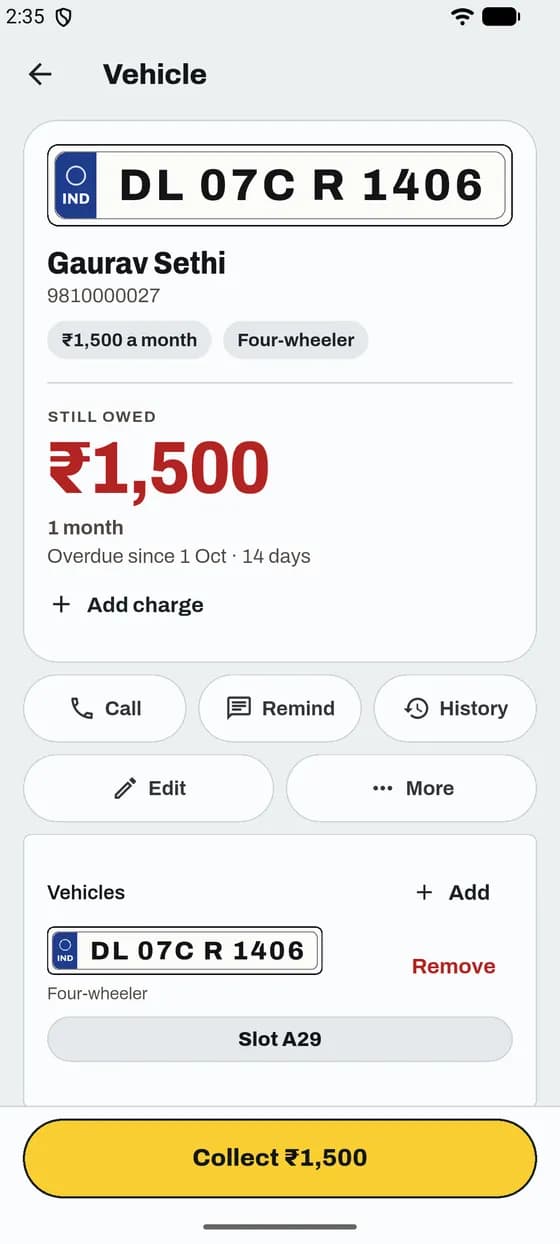
Send it free from your own WhatsApp, or let ParkIn OS send it.
Good to know
App and website
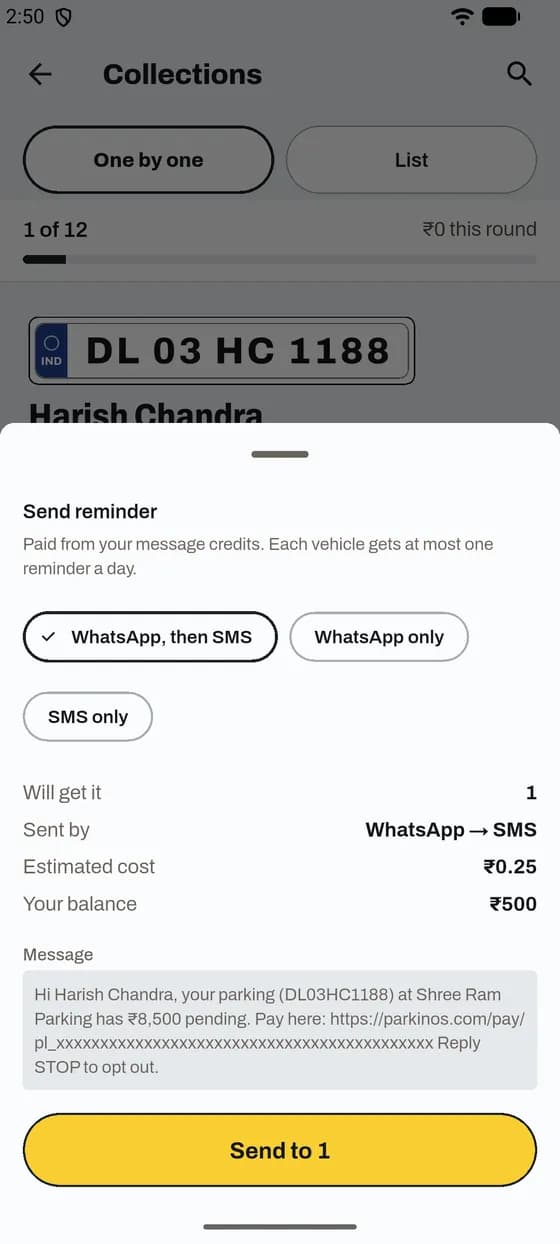
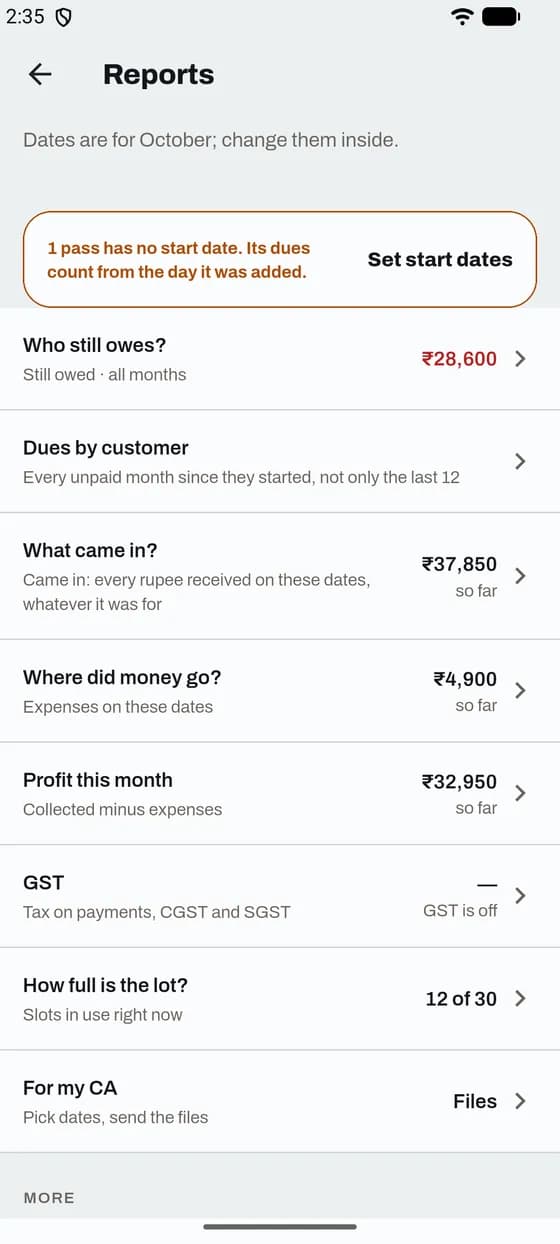
See who gets it, the message and the cost before you send.
Good to know
App and website
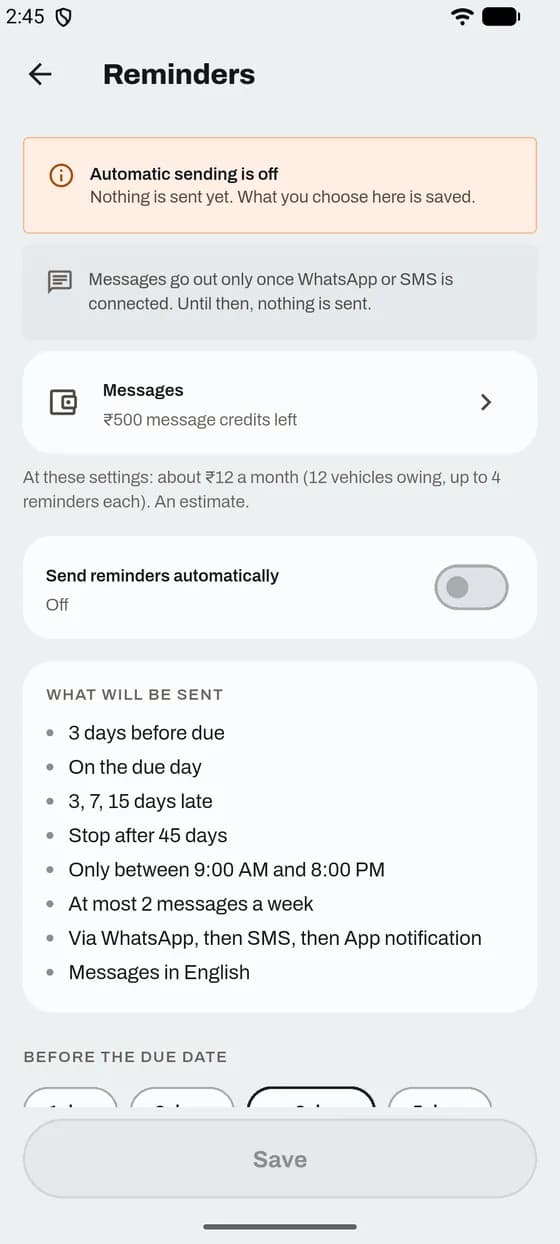
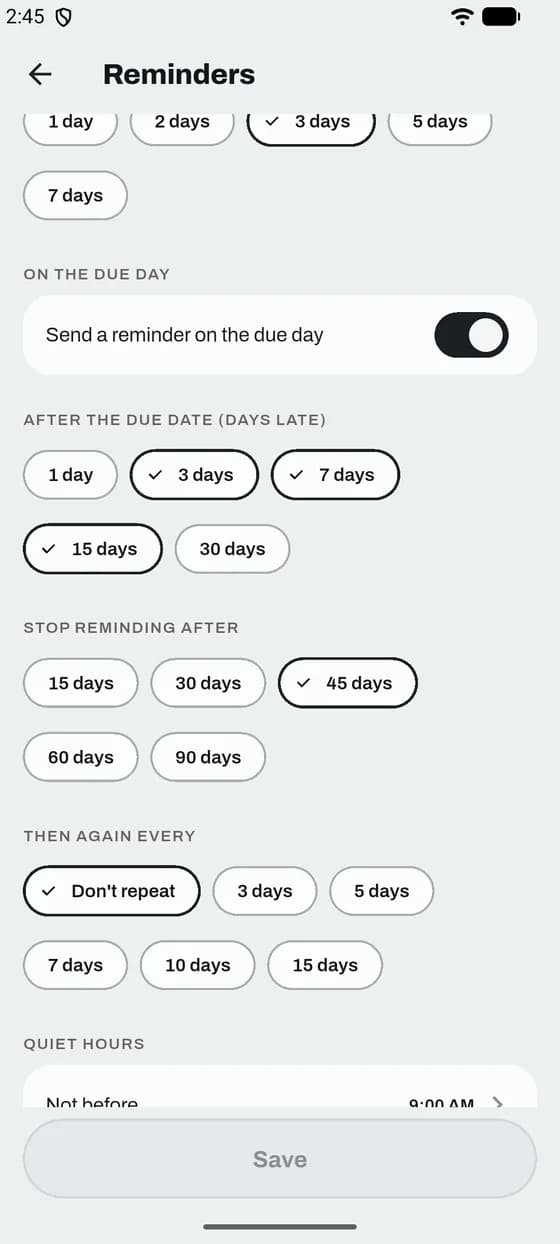
Choose once when reminders go. ParkIn OS then sends them by itself.
Good to know
App and website
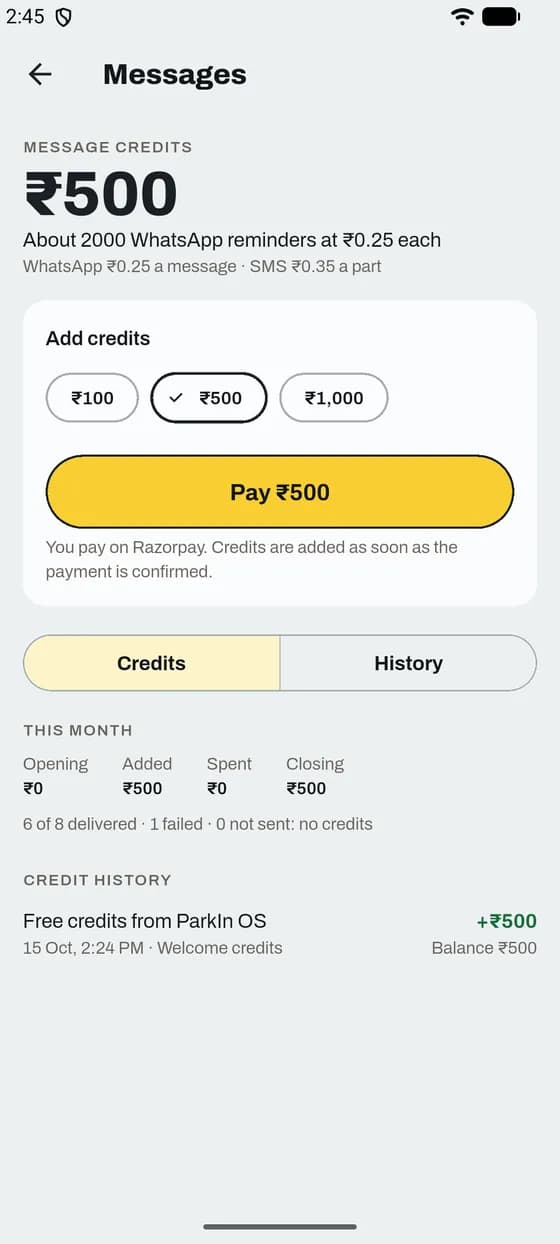
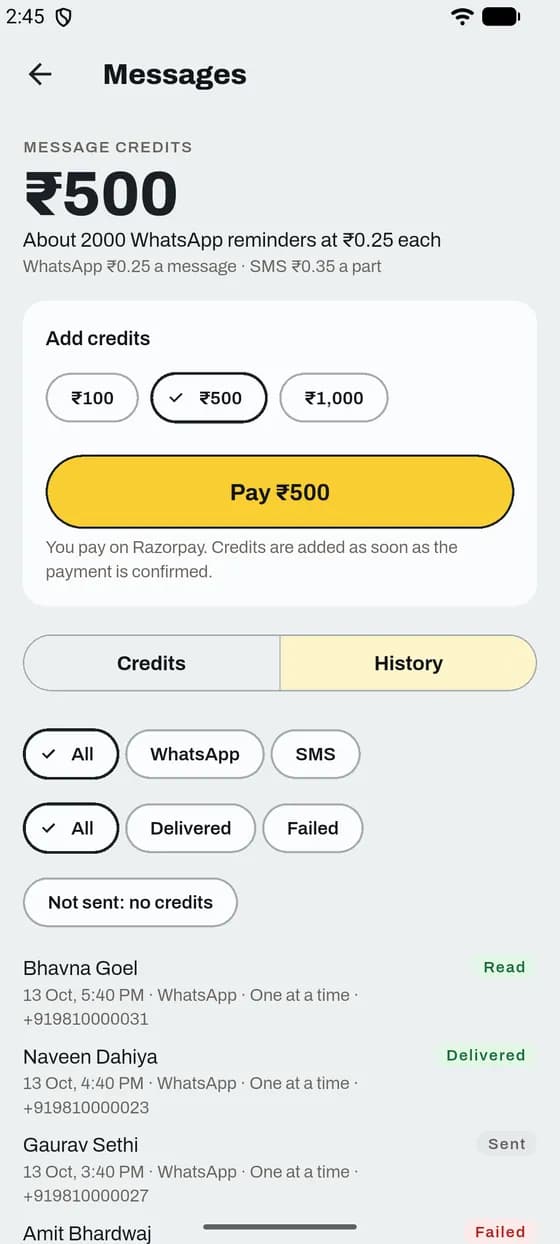
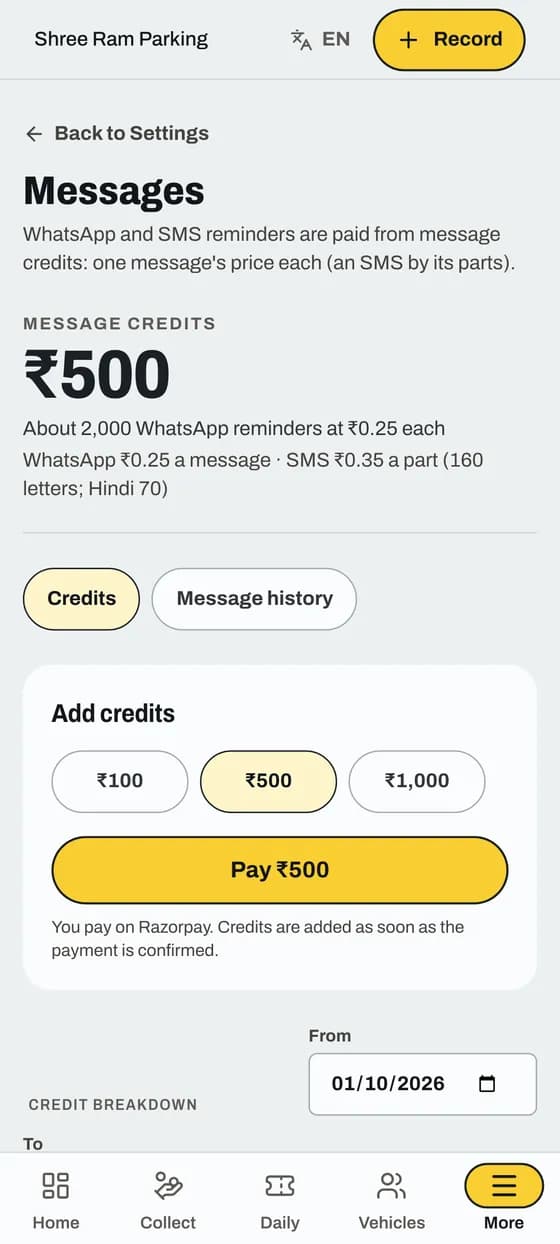
WhatsApp and SMS reminders are paid from a prepaid balance.
Good to know
App and website
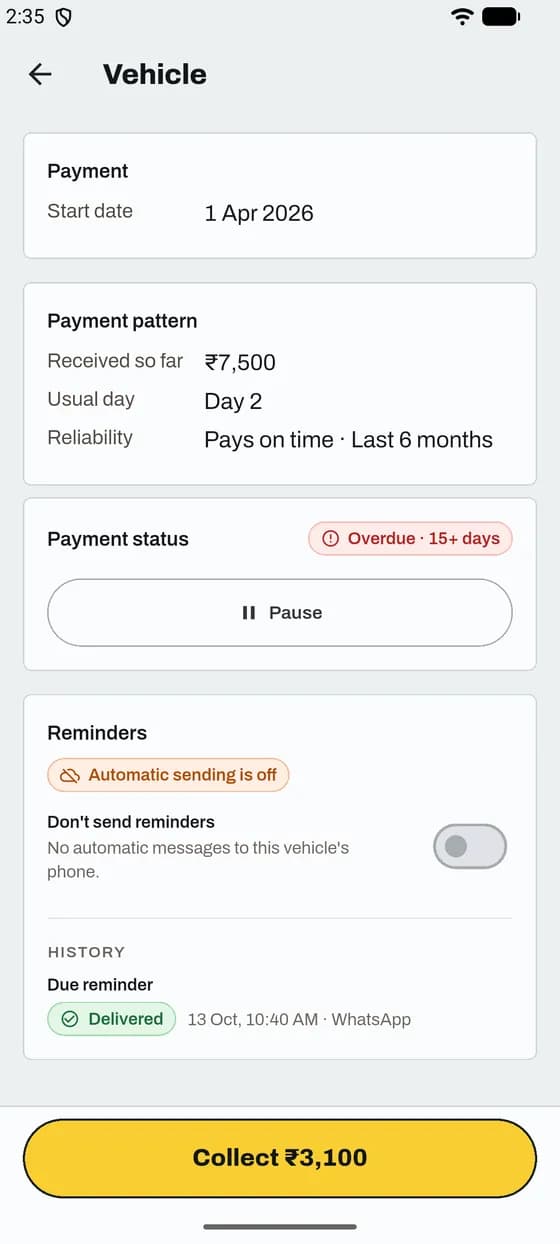
See what was sent, stop reminders for one customer and check who says they paid.
Good to know
App and website
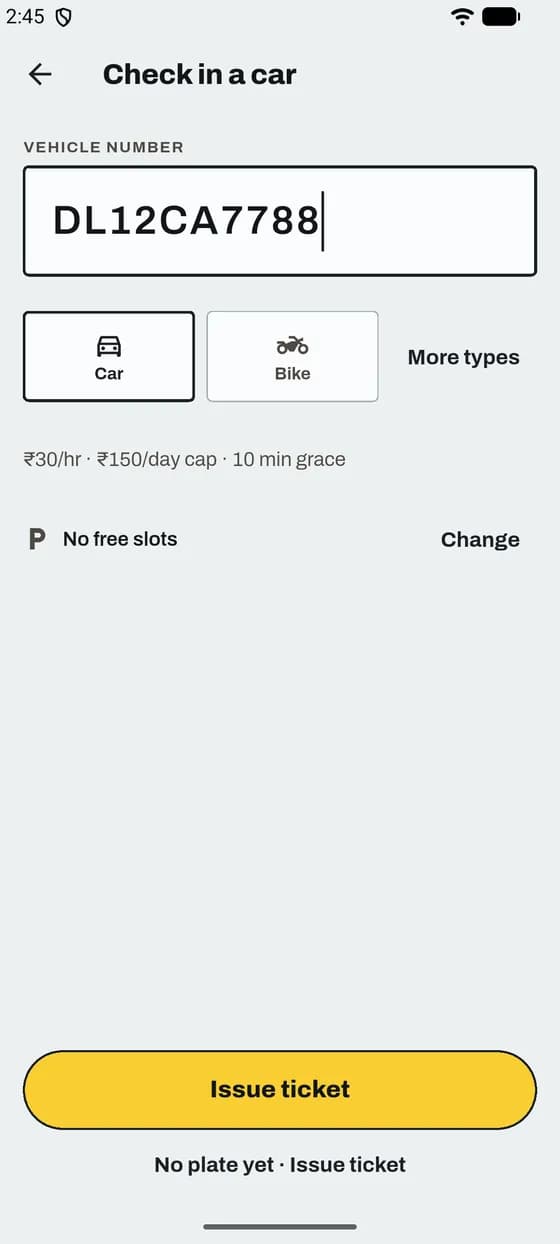
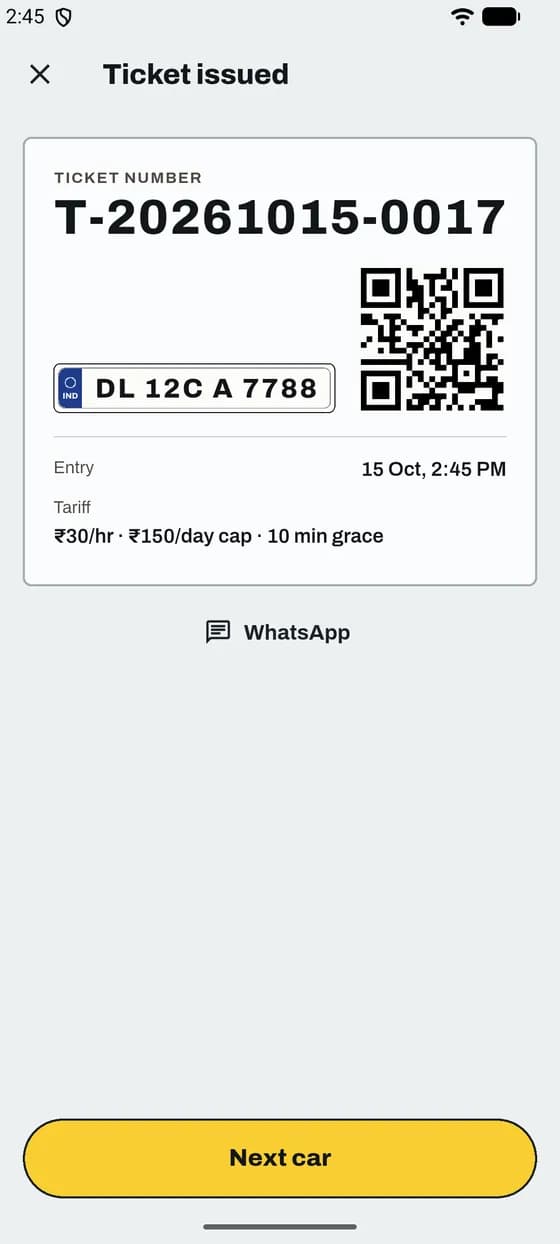
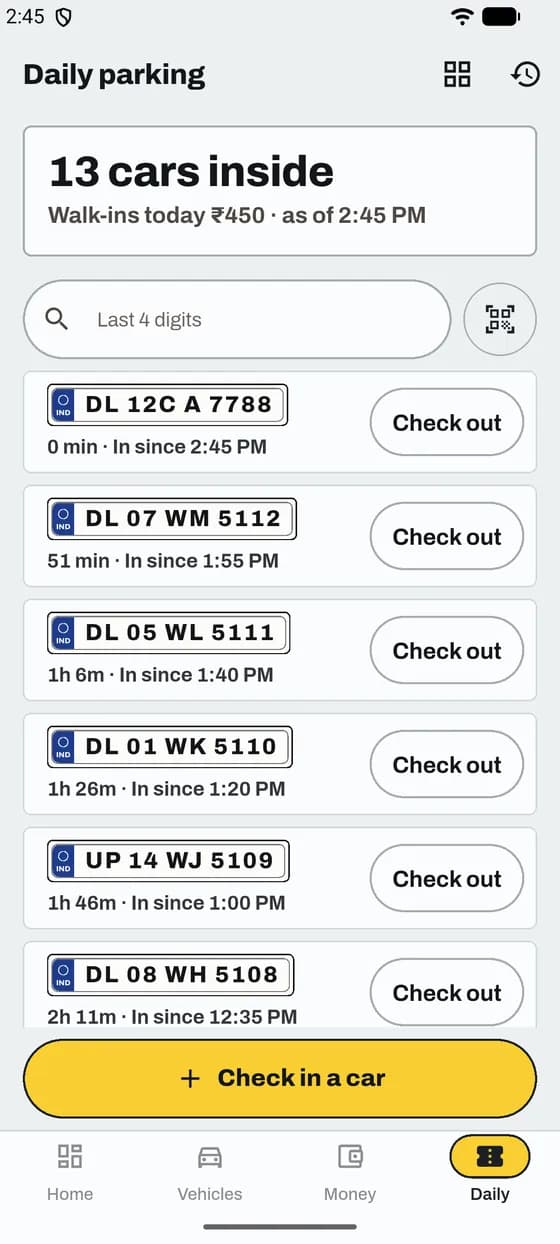
Make a ticket in a few taps. The car shows on Daily with a timer.
Good to know
App and website
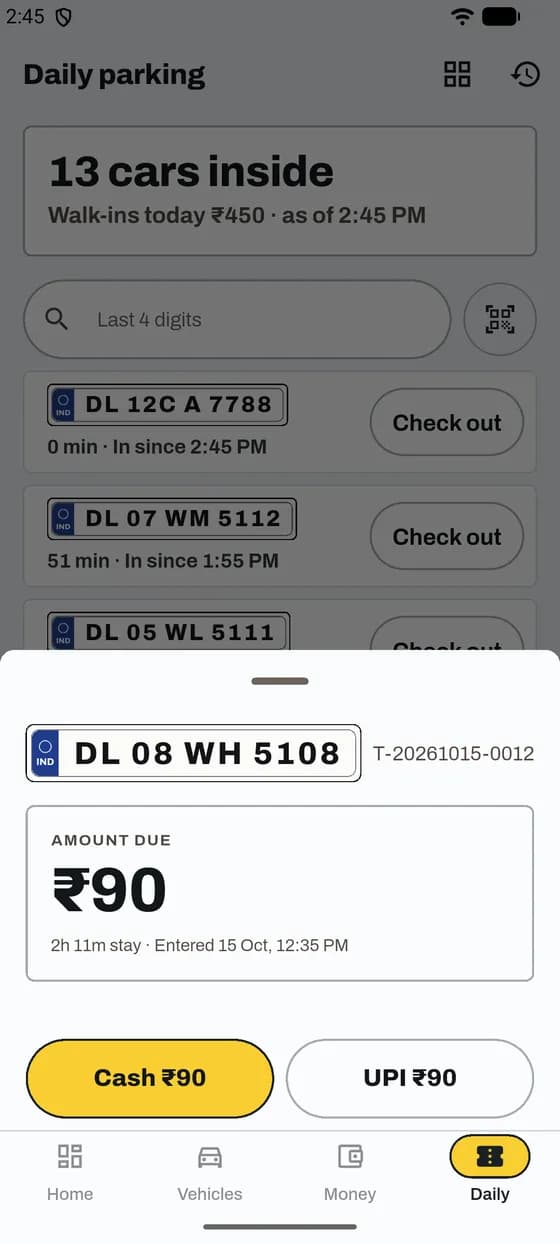
ParkIn OS works out the fee from your prices. You take the money.
Good to know
App and website
Three words you will see. Each one counts something different.
App and website
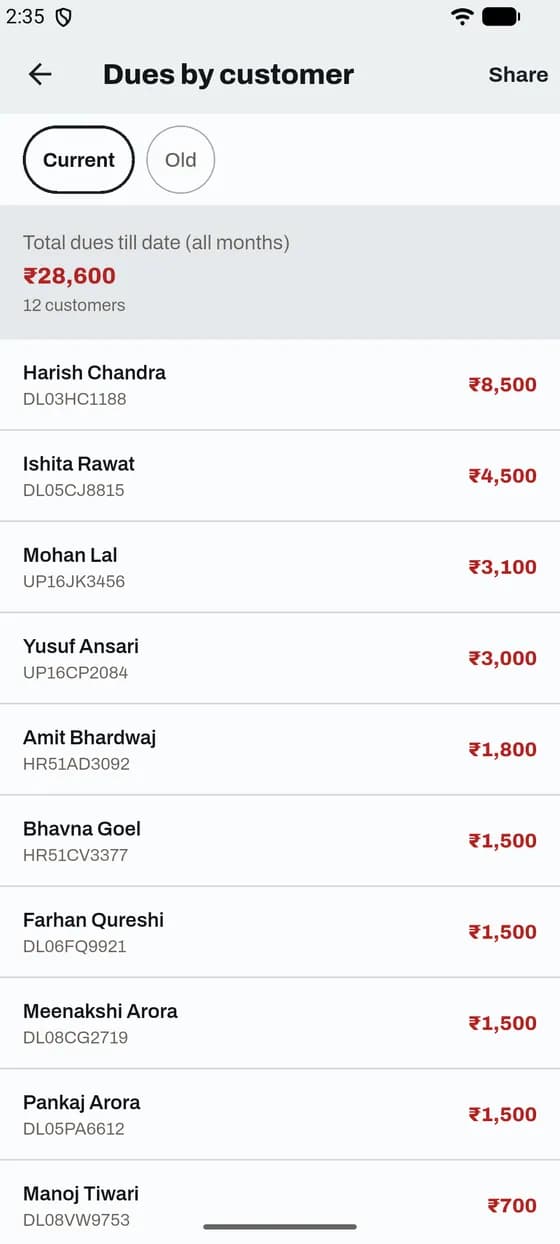
One row per customer with everything they owe till date, all months.
Good to know
App and website
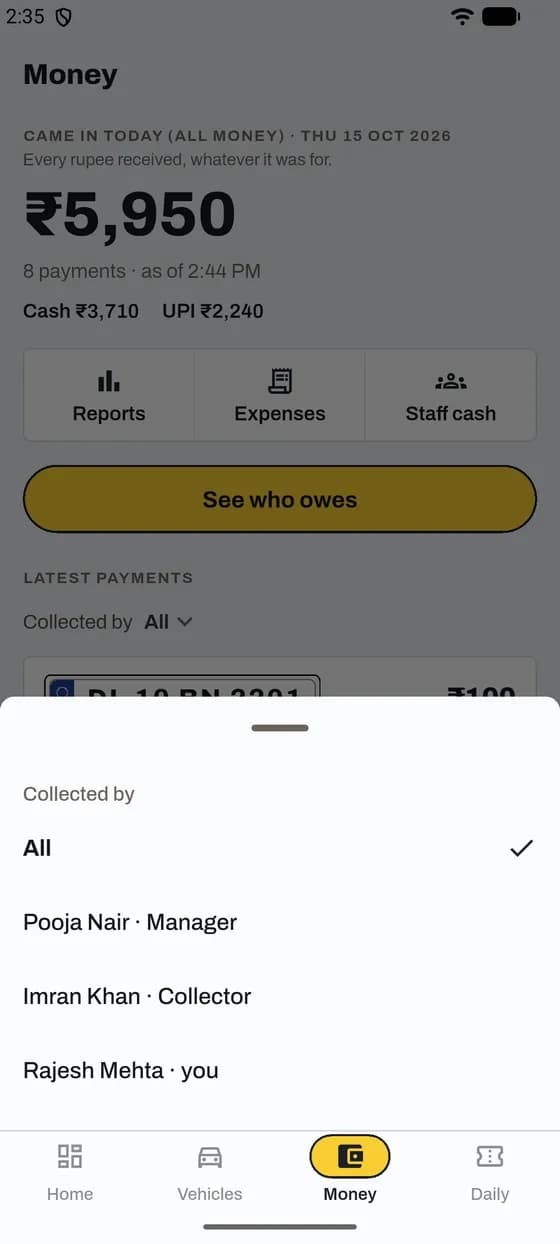
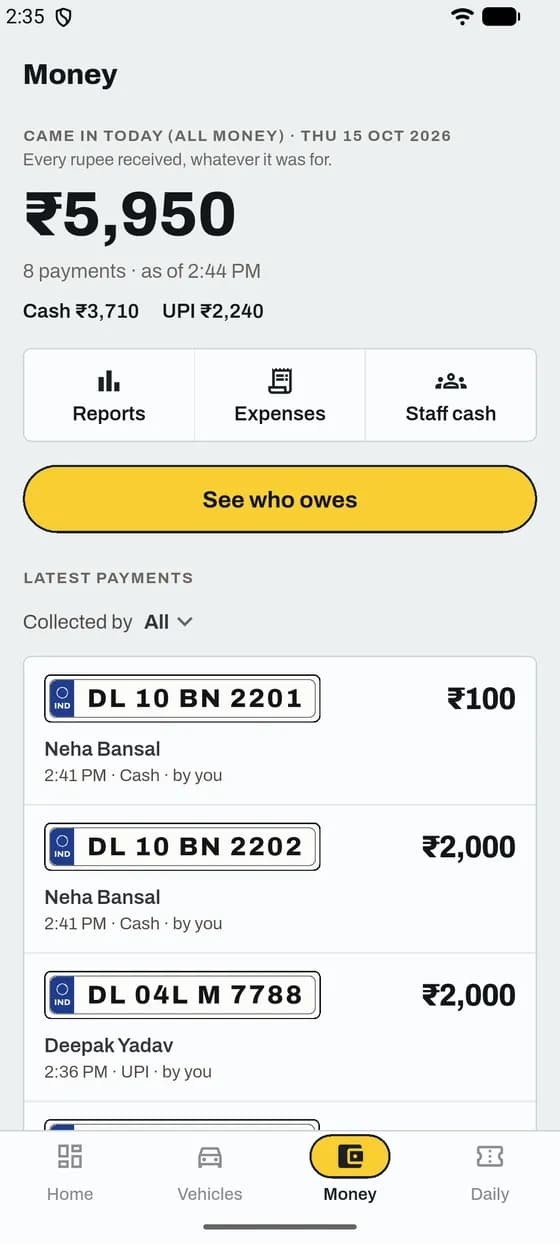
Every payment shows the name of the person who took it.
Good to know
App and website
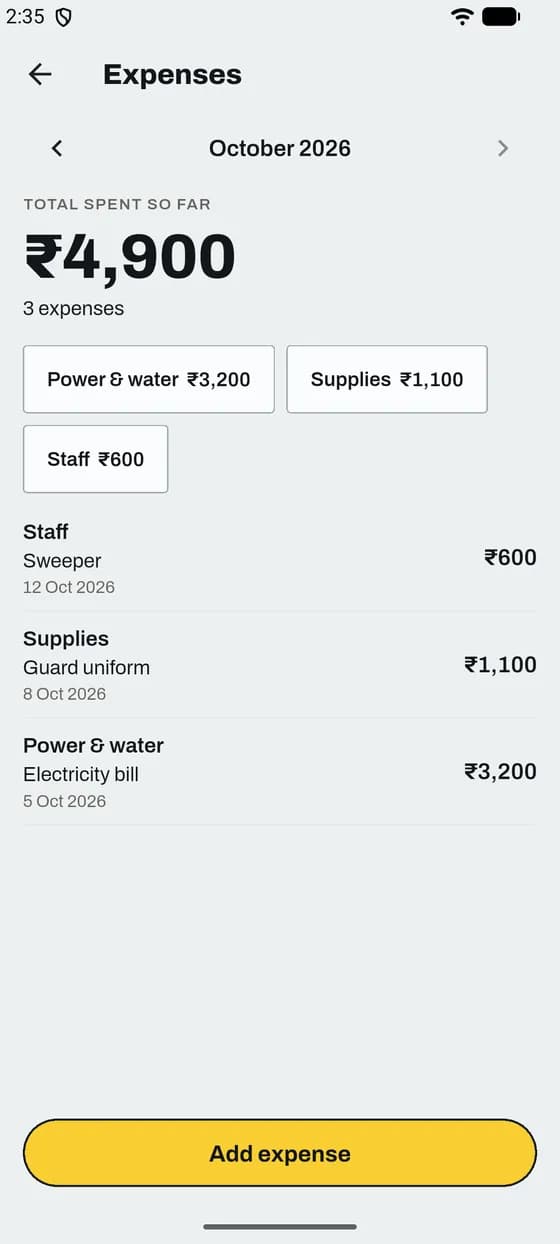
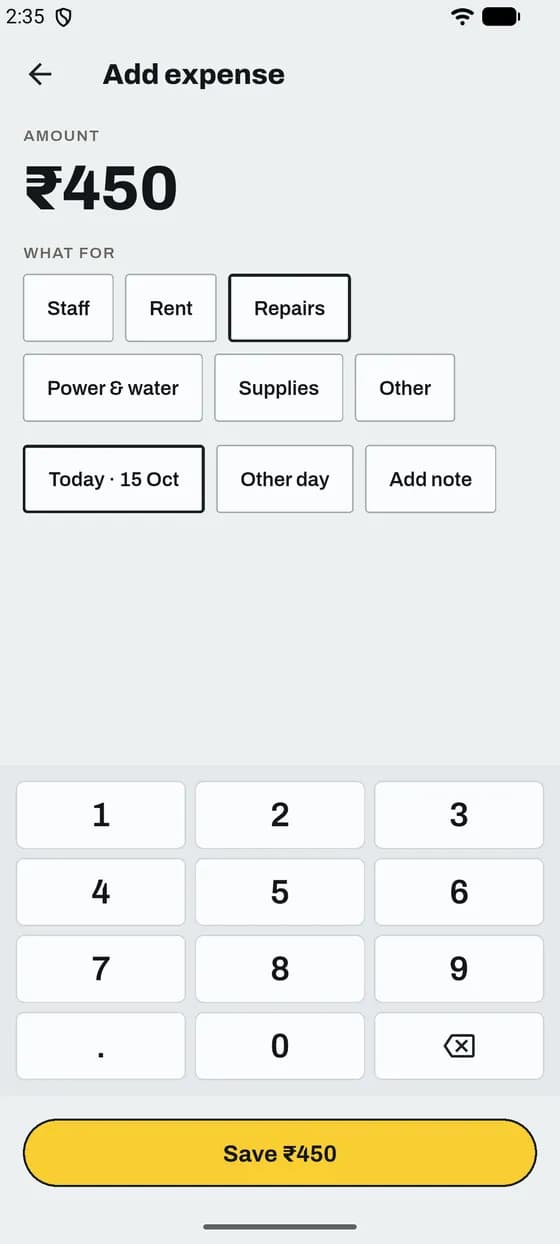
Note money you spend, like the electricity bill. Profit uses it.
Good to know
App and website
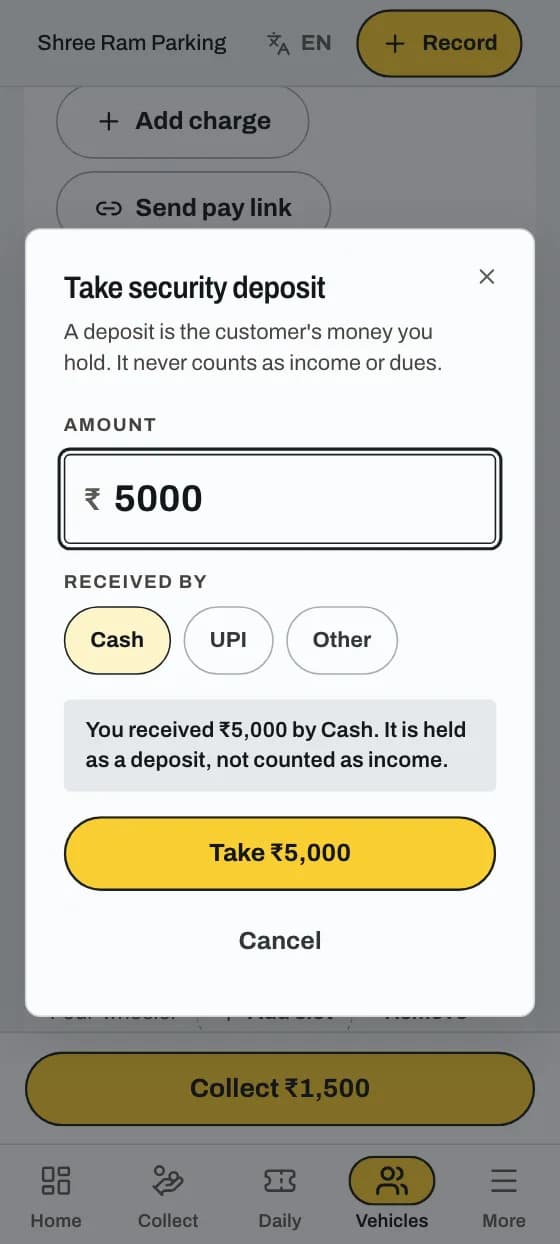
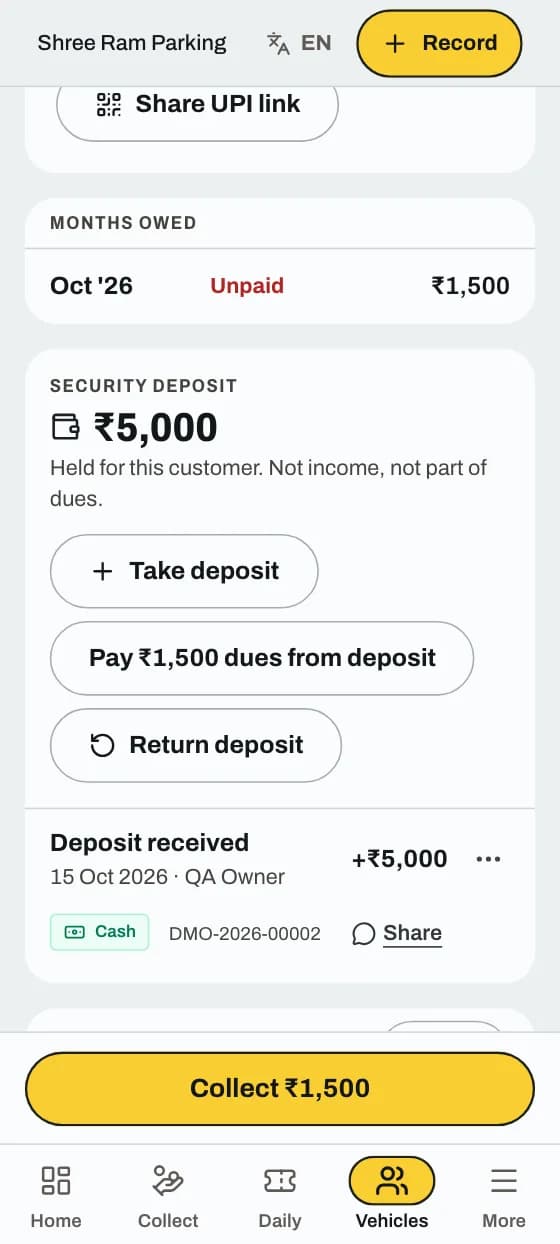
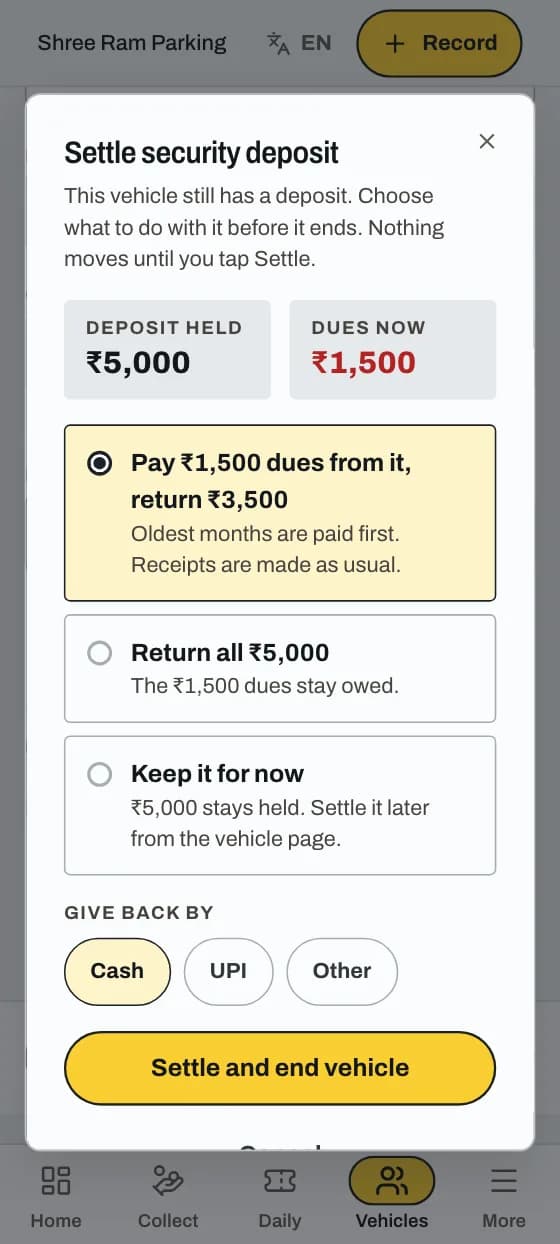
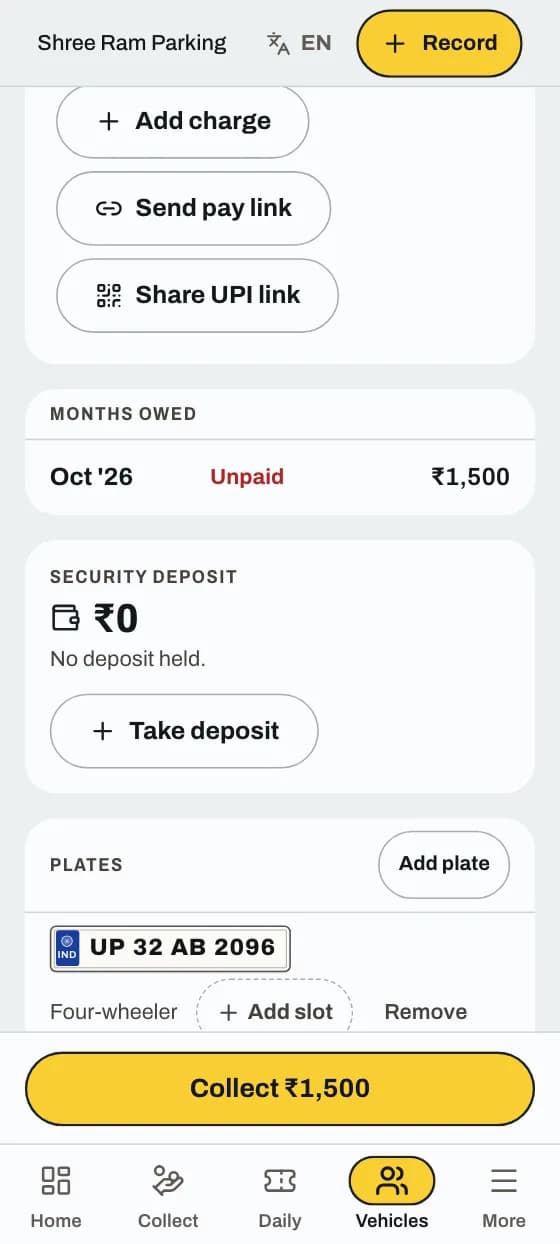
A deposit is the customer's money you hold. It never counts as income or dues.
Good to know
App and website
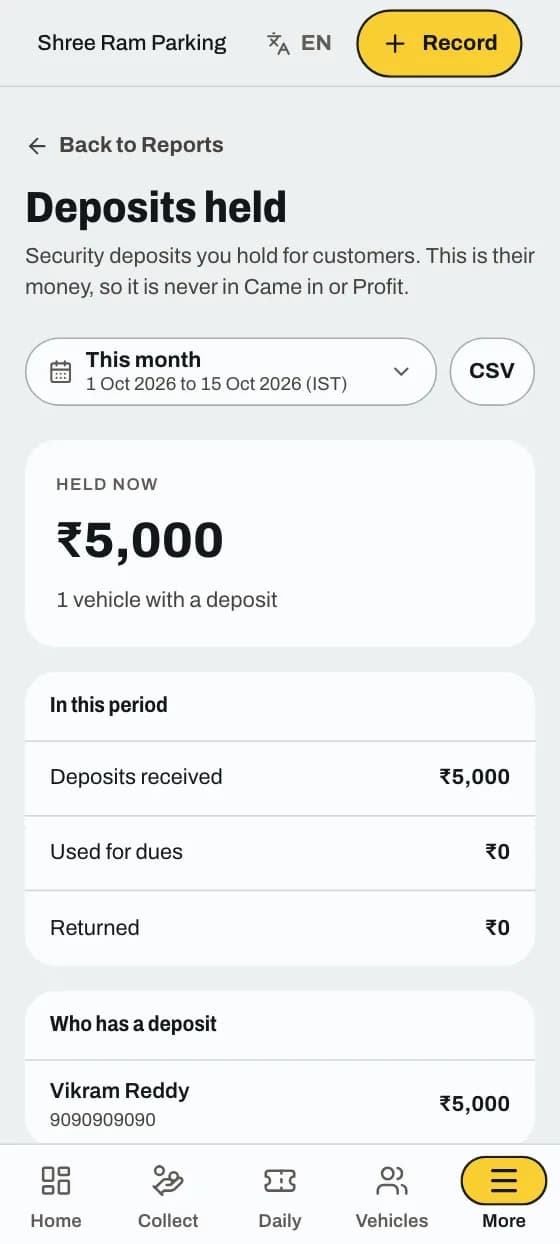
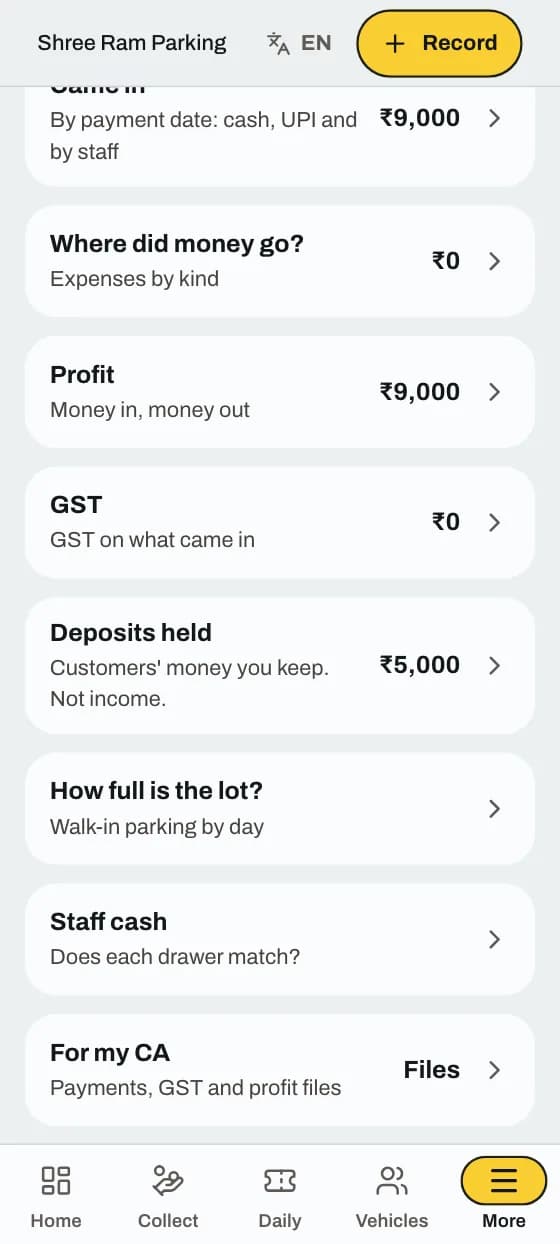
The total of your customers' money you keep, and whose it is.
Good to know
In the app
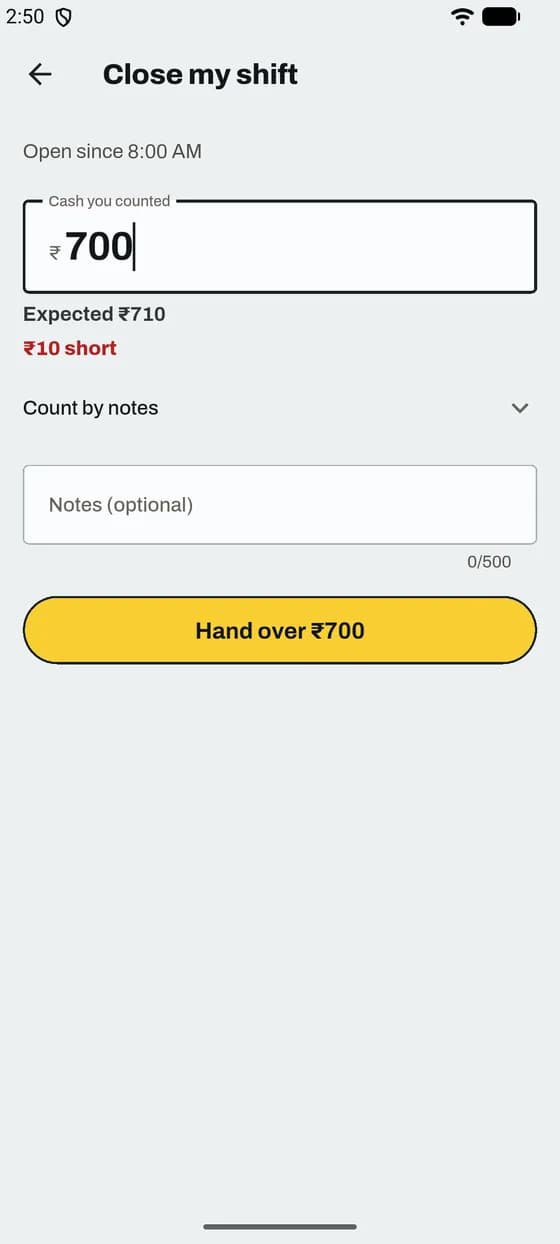
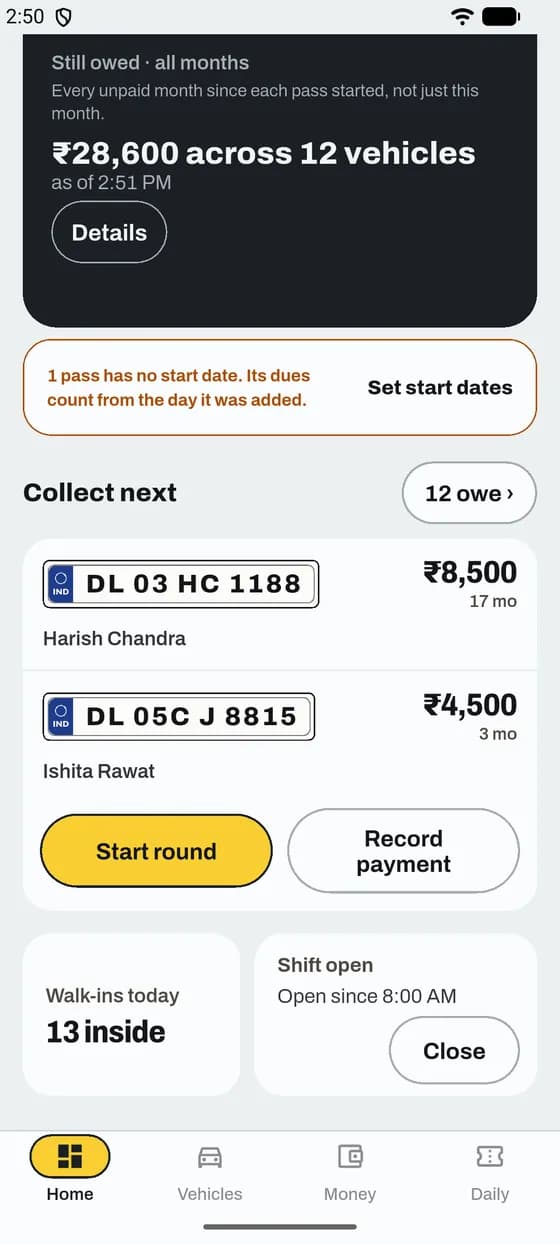
Staff count the drawer at the end of duty. ParkIn OS tells you if the cash matches.
Good to know
In the app
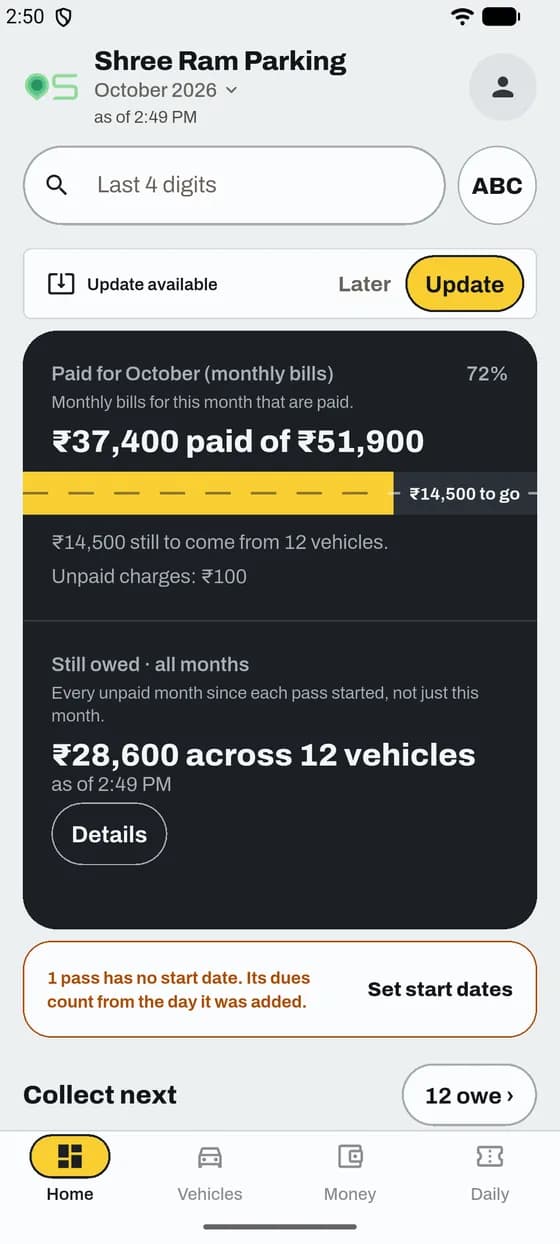
Small fixes come as an update. Tap Update, then restart the app.
Good to know
App and website
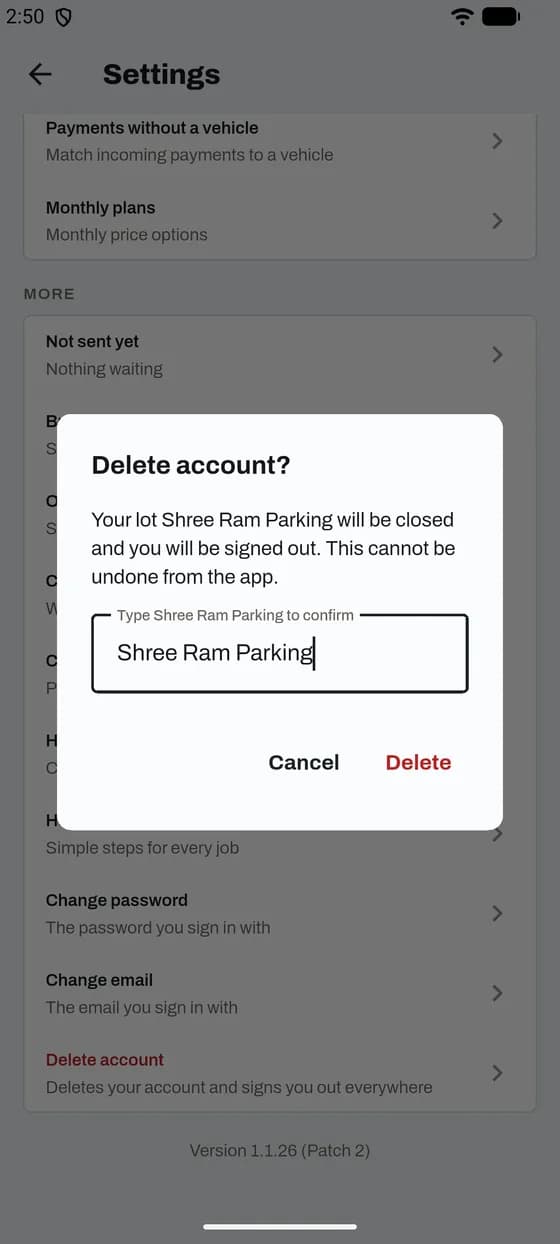
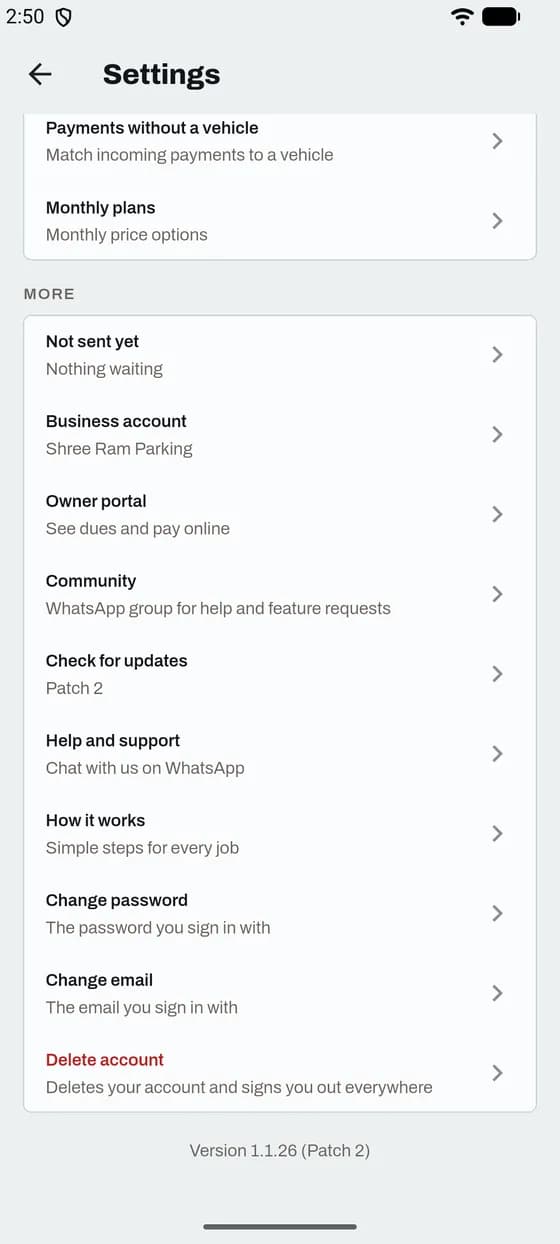
Your account is closed and you are signed out on every phone.
Good to know
App and website
Real people answer on WhatsApp: +91 70113 40142.
Good to know
Your turn
Free for up to 10 vehicles. No card needed.